Got questions?
We’ve got answers.
Who is Osmo made for?
Osmo is made for designers and developers who care about detail, the ones who love smooth interactions, creative layouts, and sites that stand out.
It’s built for creative web developers who want to enhance their skills, streamline their workflow, and create award-worthy projects. Whether you’re freelancing, part of an agency, or working on personal projects, Osmo has something for you.
Are you Webflow exclusive, or do you give the HTML/CSS as well?
We’re not Webflow exclusive. Every resource in Osmo comes with full HTML/CSS & JS documentation, so you can easily adapt it to your workflow. Osmo is built for creative developers, whether you use Webflow, write code from scratch, or work somewhere in between.
Who is behind Osmo?
Osmo was created by Dennis Snellenberg and Ilja van Eck.
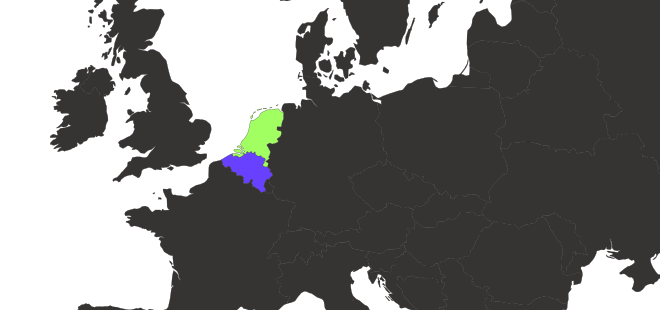
Based in the Netherlands and Belgium, we’ve combined our experience from years of building high-end websites and over 35 Awwwards “Site of the Day” wins into a platform that helps others create interactive, animated, one-of-a-kind projects.
How often do you add new content?
We update Osmo very regularly. You can always check our Collection page to see everything we’ve added recently. New components, resources, and improvements are rolled out consistently to keep things fresh.
Can I suggest a resource for Osmo to create?
Absolutely. We love hearing ideas from our community! That’s why we highly recommend joining our Slack Community. It’s a global space for designers and creative developers, with dedicated channels for feedback, discussions, and submitting new resource ideas.
Is there a free trial or demo version I can explore first?
Yes!
We have a free demo that currently includes 20 resources from the Vault. You can explore them right away and get a feel for how Osmo works. Sign up here to try it out.
Can I use the resources in client projects?
Yes, 100%. That’s what this whole thing is made for. During an active membership, you can use Osmo Resources in both personal and client projects, subject to our Licensing Agreement.
You may customize and implement them in finished projects, but you may not repackage, redistribute, resell, or store them as your own asset library.
Do the resources work with Framer?
Not without a fair bit of rework, if at all. Framer supports React components, which means you’d need to manually convert our HTML, CSS, and JavaScript into a React setup before importing it. It’s technically possible, but not something we’d recommend unless you’re comfortable with that level of customization and workarounds.
Is Osmo for beginners or experienced developers only?
Both.
If you’re new, Osmo helps you learn how real, award-level websites are built. If you’re experienced, it’s your shortcut to grab ideas, code, and motion setups without reinventing the wheel.
What makes Osmo different from things like Relume or Flowbase?
We’re not just about sections or templates. We’re building an ecosystem that helps you work faster and most importantly, understand the why behind everything.
You get the full code, the reasoning, and the freedom to tweak it however you want. Whether you use Osmo to speed up your builds or to learn new techniques, it’s all there for you.
Can I still use the resources when I cancel my membership?
Yes. When you cancel, you keep access until the end of your current billing period. After that, your access to the Osmo Vault and Dashboard ends.
Resources that were legitimately implemented in personal or client projects during your active membership may continue to be used in those projects. You may not download or store used and unused Resources outside the Osmo Vault for future use, redistribution, or resale.
Do you have a team, studio or agency plan?
We do indeed! Head to the pricing page, and use the toggle above the pricing cards to switch to the team plan.
Is there a refund policy for purchases?
Refunds may be available under certain conditions. Because our product is digital and access is provided immediately after purchase, refund eligibility is limited. If you’re unsatisfied or experience an issue with your purchase, please contact us within 7 days of your account creation date, and we’ll work with you to find a resolution. Please note that this 7-day refund window applies only to the initial account creation period and does not reset with renewals or subsequent billing periods.
Can I change my plan later?
Yes, you can switch between quarterly and yearly billing options at any time through your account settings in the dashboard.
If you want to switch to a team account, please email us or reach out in Slack.
How can I contact support if I have an issue?
Email us or reach out in Slack. We’re active and try to help quickly, and the community is great for troubleshooting too. If you run into a bug, there's usually lots of people ready to help out.
Can I share my Osmo account with my co-worker or friend?
No, not unless you’re on a team account. Regular Osmo accounts are single-user.
If we suspect account sharing or other misuse, we reserve the right to temporarily disable access until the situation is cleared up.
How do I cancel my subscription?
Go to your account settings, open Billing, then cancel your plan. You’ll keep access until the end of the current billing cycle. If you return later, pricing will follow whatever is current at that time.
How can I download my invoices?
Open your account settings, go to Billing, and download invoices from there. If something looks off, message us and we’ll fix it.
What’s included in the subscription plan?
Everything inside the Vault; all resources, icons, easings tool, snippets, plus our Slack Community and exclusive courses like the Page Transition Course. You’ll also get updates as we add new resources each week, and access to new features.
Can I try Osmo before subscribing?
Yep! We’ve got a free demo with 20 real resources from the Vault. It’s not watered down, it’s just a smaller taste of the full thing. You can try it over here.
Can I pause or cancel my subscription anytime?
You can cancel your subscription anytime through your account settings. You’ll keep access until the end of your current billing period.
After that, your access to the Osmo Vault and Dashboard ends. Resources already implemented in projects during your active membership may continue to be used in those projects, subject to our Licensing Agreement.
Will you ever raise prices?
We might, but not for existing members. If we add major new tools or features, new users may see updated pricing. But your plan stays locked in at the rate you joined, for as long as you stay a member. That's a promise we make.
Is there a discount for students?
Yes! Students get 30% off our plans. Just share a valid student ID with us and we’ll send you a unique discount code.
Do you offer Purchase Parity Pricing (PPP)?
Not right now. Our system doesn’t support regional pricing at the moment, so everyone sees the same rates by default.
How does the team plan work?
The team plan includes two seats by default and lets you add unlimited members. Each person gets their own account and full access to the Vault and all benefits. Perfect for studios or agencies that want everyone up to speed.
Is there a refund policy?
Refunds may be available under certain conditions. Because our product is digital and access is provided immediately after purchase, refund eligibility is limited. If you’re unsatisfied or experience an issue with your purchase, please contact us within 7 days of your account creation date, and we’ll work with you to find a resolution. Please note that this 7-day refund window applies only to the initial account creation period and does not reset with renewals or subsequent billing periods.
What happens if I cancel my subscription?
When you cancel, you keep access until the end of your current billing period. After that, your access to the Osmo Vault and Dashboard ends.
Resources that were legitimately implemented in projects during your active membership may continue to be used in those projects. You may not download or store used or unused Resources outside the Osmo Vault for future use, redistribution, or resale.
Where did the Lifetime Membership go?
The Lifetime Membership was permanently removed on July 10, 2026 at 23:59 CEST.
We launched Osmo in January 2025. At the time, Lifetime was priced at roughly the value of two years of a Quarterly or Yearly Membership. It played an important role in helping us grow Osmo into what it is today.
We never expected Osmo to become this successful or helpful to so many people. We love building Osmo full time and want to keep doing so for many years to come while continuing to release new resources every week. To make that possible, we also need recurring income beyond those first two years. That’s why we made the decision to permanently remove the Lifetime Membership and move forward with subscriptions only.
If you purchased a Lifetime Membership before it was removed, nothing changes. Your Lifetime Membership remains valid for the life of the Osmo platform, subject to our Terms & Conditions and Licensing Agreement.
Will the Lifetime Membership come back?
No, it will never come back.
We made the decision to permanently remove the Lifetime Membership and move forward with recurring memberships only. This gives us a sustainable way to keep releasing new resources and continuously improving the platform for years to come.
If you already have a Lifetime Membership, nothing changes. You’ll continue to have Lifetime access forever, exactly as promised.
What is the Vault?
The Vault is where all Osmo resources live. It’s basically our platform, the heart of our product.
You’ll find a mix of functional and creative resources: components, snippets, effects, and techniques built for designers and developers who love detail.
Everything comes with clear documentation for both Webflow and HTML/CSS/JS. We use the best tools available on the web, like GSAP, so you can easily learn, copy, or adapt them into your own projects.
Can I still use the vault resources when I cancel my membership?
Yes. Resources that were legitimately implemented in projects during your active membership may continue to be used in those projects.
Your access to the Osmo Vault, Dashboard, updates, and new Resources ends when your billing period expires. You may not download or store used or unused Resources outside the Osmo Vault for future use. We will not lock existing implementations behind an Osmo-hosted CDN.
How often are new resources added?
Very regularly. Check the Collection page for an always up-to-date list of what’s new and what changed!
Do the resources come with documentation and video tutorials?
Yes. Every resource comes with two types of documentation, one for Webflow and one for HTML/CSS/JS.
Some resources also include short video tutorials that walk you through the setup and logic behind them. On top of that, we regularly create extra video content that goes beyond individual resources, covering broader topics.
Can I modify or customize the resources to fit my projects?
Yes, absolutely. That’s one of the strongest things about Osmo: We give you the direct code. Nothing’s hidden.
You can change structure, timing, easing, or styling however you like. Every resource is made to be customized, so you can make it fit perfectly with your own workflow and design style.
Can I request specific resources?
Absolutely. We love hearing ideas from our community! That’s why we highly recommend joining our Slack Community. It’s a global space for designers and creative developers, with dedicated channels for feedback, discussions, and submitting new resource ideas.
Can I use the Vault Resources in client projects?
Yes, absolutely. Use them in personal and client work. What you can’t do is resell or redistribute the resources as a library or product.
Will my saved resources stay synced across devices?
Yes. Saves and favorites are tied to your account, so they show up wherever you sign in. If something looks out of date, try refreshing your dashboard.
Who is creating the Osmo Resources?
Mostly Dennis Snellenberg and Ilja van Eck, with select collaborators. We ship the same quality we use in real projects, or even better.
How do I get notified when new resources are added?
Join Slack for announcements, check the Collection page, and keep an eye on email. We share releases and improvements across those channels.
Can I share the Osmo Vault with my co-worker or friend?
No, not unless you’re on a team account. Regular Osmo accounts are single-user.
If we suspect account sharing or other misuse, we reserve the right to temporarily disable access until the situation is cleared up.
Is access to the Slack community included in my membership?
Yes. Every Osmo member gets full access to our private Slack community.
It’s where we share updates, give feedback, talk creative development, and just hang out with other designers and developers building cool stuff.
Are Dennis and Ilja active in the Slack community?
We practically live there hahaha. We read literally every message, so rest assured that we're very involved.
And not just for support and fixing bugs, we've already met so many lovely people from all over the world in the community. We'd love to meet you too!
What type of support do you offer?
Most questions can be answered in Slack, where the community (and we) are quick to help. Keep in mind though, that we don’t have the capacity to do development work for everyone’s projects. For specific integration help, we encourage you to lean on the community or tools like ChatGPT to troubleshoot.
For account-related issues, you can reach us directly through email or the support form in the footer of our site.
What kind of topics get discussed in the Slack community?
Pretty much everything creative dev related, design, help with clients, pretty much anything going on in our daily lives!
People share work-in-progress, discuss new web techniques, show finished websites, and request new Osmo resources. And of course a wonderful place to come together if one our tools goes down again, so you know you're not alone...
We also post small behind-the-scenes updates and sneak peeks of what’s coming next.
How do I join the Osmo Slack?
Once you become a member, you’ll receive an invite link to join the Slack community. There's also a permanent link iside of the Vault.
From what parts of the world do you have members?
From literally all over the world. We currently have members in over 70 countries!!
How do I get featured in the Osmo Showcase?
You can find a button on the Showcase page that leads to our Submit page, where you can submit your project. You handle all the credits and tagging the Osmo resources used, and we'll handle the screen recording!
Are you planning on hosting meet-ups?
We would absolutely love this. But full transparency; it's a bit more of a long-term thing for now! If you'd be interested in this, definitely let us know in Slack, so we can gauge interest.
Will there be any Osmo merch available?
Glad you asked. We're actually seriously considering this! There's some things to figure out to make it happen first.
What is BarbaJS?
Barba.js is a lightweight JavaScript library that helps you create fluid and smooth transitions between your website’s pages. It makes your website run like a SPA(Single Page Application) and help reduce the delay between your pages, minimize browser HTTP requests and enhance your user’s web experience.
It achieves this by dynamically updating page content, allowing us to customize transitions with CSS or JS (We use GSAP) while the pages are switching.
As an Osmo Member, can I access the course?
Yes. Every member gets full access to the course. If you’re not a member, you’ll be able to purchase it separately as a one-time payment.
Besides the video content, will you offer templates?
Yes. The course includes ready-to-use transition templates and the full Osmo Barba Boilerplate. You can start from scratch or use the boilerplate to speed things up.
Is there any support for students?
Yep. Students get a 30% discount. Just share a valid student ID and we’ll send you a personal discount code.
What is the price of the course?
€199 as a one-time payment. Included for all Osmo members.
Do I need JavaScript knowledge to take this course?
Some basic understanding helps. We cover setup and fundamentals, but this isn’t a beginner course. You’ll get the most out of it if you already know your way around basic JavaScript and GSAP. We won’t be explaining what a variable is.
If you’re newer to code but motivated to learn, you’ll still be fine. Tools like ChatGPT and Claude are great for quick questions while following along, and our Slack community is always open for discussion, feedback, and peer support.
Does BarbaJS break SEO or loading speed?
No, it doesn’t. BarbaJS automatically updates the document title as you navigate, so search engines still see the correct pages and metadata. Your site will be crawled normally, and there’s no need to manually update meta descriptions or keywords.
It simply intercepts your link clicks and swaps the page content. When implemented properly, performance stays identical to a regular site load.
Will this course cover troubleshooting and debugging?
Yes. We show how to catch errors in transitions, handle timing issues between Barba and GSAP, and structure your code to stay maintainable as projects grow.
What’s the price of the Osmo Button Pack?
There are two ways to get the pack. The first option is a one-time payment of €100 EUR to unlock it forever. No subscription needed.
Members already get access to 50 buttons included with their membership. Want the full 100-button pack? You can unlock the remaining 50 buttons for a one-time payment of €50 EUR.
Do I need a subscription to use the Buttons?
No, you do not need a subscription.
The Button Pack is available as a standalone one-time purchase with lifetime access. Once unlocked, the buttons are yours to use in your projects whenever you want.
Osmo members already get access to 50 buttons included with their membership, but the full 100-button collection can also be unlocked (for €50 EUR) separately, as an add-on.
Do you only support Webflow, or do I also get the HTML/CSS/JS?
You get the full HTML, CSS, and JavaScript for every button. The pack is built to fit naturally into Webflow workflows, but the buttons work anywhere standard front-end code works. Copy, paste, customize, and use them in your own websites, client projects, or frameworks.
Every button is controlled by CSS variables; colors, padding, radius, easing, focus insets. Adjust them in seconds and the whole button adapts. We use semantic HTML elements, clear focus-visible states, proper ARIA labels, and prefers-reduced-motion support.
Who created the Osmo Button Pack?
The Button Pack was created together with Eduard Bodak.
Over the course of 6 months, we designed and refined 100 unique buttons with a strong focus on motion, interaction, accessibility, and the tiny details that make a button feel good to use.
In a world where everything starts looking the same, we wanted to create a collection that feels crafted. Every hover state, easing curve, transition, and interaction was intentionally designed instead of relying on generic defaults.
Are the buttons built with accessibility in mind?
Every button uses semantic HTML elements, proper focus-visible states, keyboard-friendly interactions, and prefers-reduced-motion support. We also use ARIA labels where needed to make sure the components work well for everyone.
We worried about the accessibility details, so you can focus on the creative part. The goal was simple: create buttons that not only look good, but are actually ready to ship in real-world projects.
How do I access the buttons after purchase?
Once you purchase the Button Pack, the buttons are instantly unlocked inside your Osmo Vault. From there, you can browse through the collection, preview the interactions, copy the code, and customize the buttons directly for your own projects.
Can I bribe Dennis or Ilja to release resources faster?
We'll never say no to a voluntary contribution to our cause here... but no promises! We still have a life outside of this, you know? We touch grass every now and then.
Can I name my pet ‘Osmo’ and get a discount?
Send us proof and we actually might send a discount, we're still looking for a mascott.
Your brand and website are incredible, who's behind this?
Thank you for the kind words, we think it looks pretty good ourselves too. We (Dennis & Ilja) collaborated with Jason Harvey from Somefolk on this all.
Can I pay for my membership in pizza?
Well this really depends on what type of pizza we're talking about here?
Can I use Osmo resources to impress my crush/client/boss?
Yes. Yes, you absolutely can.
How many Site of the Day awards does it take to start a platform like this?
Glad you asked! Technically none of course, but we collectively have 38 right now... Just saying... A humble brag every now and then is allowed, right?
Can I invoice Osmo for the time I spent exploring The Vault instead of working?
You can try, but we most definitely will not pay it. So that will leave an outstanding invoice in your bookkeeping, forever. Is that really worth it?
Does the membership include therapy after debugging for 6 hours?
Unfortunately, therapy sessions aren’t included. But our community is pretty good at collective coping mechanisms.
Does Dennis know we added this question?
Does he? I'm not sure, but I'll update you guys here when he finds out.
What happens if I click every button on the site?
The better question to ask here is why you're even considering this?
Is this FAQ thing a resource too?
Yes actually! It is our Accordion CSS Animation resource.
Why is your 404 page so damn cool?
Go see it for yourself! Perhaps there's a reward for anyone with a bit of luck (and a lot of patience...)
Is this where the easter egg is hidden 👀?
I don't think so, but the previous question might tell you more.
Did someone ever read this last FAQ question?
At least one person now.