

















































































Dropping Cards Stack

Documentation
Webflow
Code
Setup: External Scripts
External Scripts in Webflow
Make sure to always put the External Scripts before the Javascript step of the resource.
In this video you learn where to put these in your Webflow project? Or how to include a paid GSAP Club plugin in your project?
HTML
<script src="https://cdn.jsdelivr.net/npm/gsap@3.14.1/dist/gsap.min.js"></script>
<script src="https://cdn.jsdelivr.net/npm/gsap@3.14.1/dist/Draggable.min.js"></script>
<script src="https://cdn.jsdelivr.net/npm/gsap@3.14.1/dist/CustomEase.min.js"></script>
Step 1: Copy structure to Webflow
Copy structure to Webflow
In the video below we described how you can copy + paste the structure of this resource to your Webflow project.
Copy to Webflow
Webflow structure is not required for this resource.
Step 1: Add HTML
HTML
<div data-dropping-stack-init="" class="dropping-stack">
  <div data-dropping-stack-collection="" class="dropping-stack__collection">
    <div class="dropping-stack__list">
      <div data-dropping-stack-item="" class="dropping-stack__item">
        <div class="dropping-stack-card">
          <div class="dropping-stack-card__before"></div>
          <div class="dropping-stack-card__content">
            <div class="dropping-stack-card__start">
              <div class="dropping-stack-card__visual">
                <div class="dropping-stack-card__visual-before"></div>
                <img src="https://cdn.prod.website-files.com/6969f795b8c9b9bba545e75b/6969fb1c152133800af9cd81_service-1.avif" loading="lazy" alt="" class="droping-stack-card__visual-img">
              </div>
              <div class="dropping-stack-card__words">
                <p class="dropping-stack-card__p">Brand Strategy</p>
                <p class="dropping-stack-card__p">Logo Design</p>
                <p class="dropping-stack-card__p">Visual Identity</p>
              </div>
            </div>
            <div class="dropping-stack-card__end">
              <h3 class="dropping-stack-card__h">Branding & Identity.</h3>
            </div>
          </div>
        </div>
      </div>
      <div data-dropping-stack-item="" class="dropping-stack__item">
        <div class="dropping-stack-card is--light">
          <div class="dropping-stack-card__before"></div>
          <div class="dropping-stack-card__content">
            <div class="dropping-stack-card__start">
              <div class="dropping-stack-card__visual">
                <div class="dropping-stack-card__visual-before"></div>
                <img src="https://cdn.prod.website-files.com/6969f795b8c9b9bba545e75b/696a00119a186f6eae03811f_service-2.avif" loading="lazy" alt="" class="droping-stack-card__visual-img">
              </div>
              <div class="dropping-stack-card__words">
                <p class="dropping-stack-card__p">Ads Creation</p>
                <p class="dropping-stack-card__p">SEO Setup</p>
                <p class="dropping-stack-card__p">Email Marketing</p>
                <p class="dropping-stack-card__p">Funnel Strategy</p>
                <p class="dropping-stack-card__p">Analytics</p>
              </div>
            </div>
            <div class="dropping-stack-card__end">
              <h3 class="dropping-stack-card__h">Marketing.</h3>
            </div>
          </div>
        </div>
      </div>
      <div data-dropping-stack-item="" class="dropping-stack__item">
        <div class="dropping-stack-card is--purple">
          <div class="dropping-stack-card__before"></div>
          <div class="dropping-stack-card__content">
            <div class="dropping-stack-card__start">
              <div class="dropping-stack-card__visual">
                <div class="dropping-stack-card__visual-before"></div>
                <img src="https://cdn.prod.website-files.com/6969f795b8c9b9bba545e75b/696a000e473a6fb87e025764_service-3.avif" loading="lazy" alt="" class="droping-stack-card__visual-img">
              </div>
              <div class="dropping-stack-card__words">
                <p class="dropping-stack-card__p">UX audits</p>
                <p class="dropping-stack-card__p">Wireframes & Prototypes</p>
                <p class="dropping-stack-card__p">User Testing</p>
              </div>
            </div>
            <div class="dropping-stack-card__end">
              <h3 class="dropping-stack-card__h">UX Strategy.</h3>
            </div>
          </div>
        </div>
      </div>
      <div data-dropping-stack-item="" class="dropping-stack__item">
        <div class="dropping-stack-card is--pink">
          <div class="dropping-stack-card__before"></div>
          <div class="dropping-stack-card__content">
            <div class="dropping-stack-card__start">
              <div class="dropping-stack-card__visual">
                <div class="dropping-stack-card__visual-before"></div>
                <img src="https://cdn.prod.website-files.com/6969f795b8c9b9bba545e75b/696a0012a2bbbee1e9a7b23d_service-4.avif" loading="lazy" alt="" class="droping-stack-card__visual-img">
              </div>
              <div class="dropping-stack-card__words">
                <p class="dropping-stack-card__p">Magic Spells</p>
                <p class="dropping-stack-card__p">Legendary Status</p>
                <p class="dropping-stack-card__p">Creative Powerhouse</p>
                <p class="dropping-stack-card__p">Early Adopter</p>
              </div>
            </div>
            <div class="dropping-stack-card__end">
              <h3 class="dropping-stack-card__h">Osmo Wizard.</h3>
            </div>
          </div>
        </div>
      </div>
      <div data-dropping-stack-item="" class="dropping-stack__item">
        <div class="dropping-stack-card is--dark">
          <div class="dropping-stack-card__before"></div>
          <div class="dropping-stack-card__content">
            <div class="dropping-stack-card__start">
              <div class="dropping-stack-card__visual">
                <div class="dropping-stack-card__visual-before"></div>
                <img src="https://cdn.prod.website-files.com/6969f795b8c9b9bba545e75b/696a034ccd0b1a0c5b3af037_service-5.avif" loading="lazy"  alt="" class="droping-stack-card__visual-img">
              </div>
              <div class="dropping-stack-card__words">
                <p class="dropping-stack-card__p">Web Design</p>
                <p class="dropping-stack-card__p">Webflow Development</p>
                <p class="dropping-stack-card__p">Osmo Supply</p>
              </div>
            </div>
            <div class="dropping-stack-card__end">
              <h3 class="dropping-stack-card__h">Websites.</h3>
            </div>
          </div>
        </div>
      </div>
    </div>
  </div>
  <div class="dropping-stack__controls">
    <div data-dropping-stack-prev="" class="dropping-stack__control is--prev">
      <div class="dropping-stack__control-circle is--prev">
        <svg xmlns="http://www.w3.org/2000/svg" width="100%" viewbox="0 0 18 18" fill="none" class="dropping-stack__control-svg"><path d="M6.74976 14.25L11.9998 9L6.74976 3.75" stroke="currentColor" stroke-width="2.5" stroke-miterlimit="10" stroke-linecap="round" stroke-linejoin="round"></path></svg>
        </div>
    </div>
    <div data-dropping-stack-next="" class="dropping-stack__control">
      <div class="dropping-stack__control-circle">
          <svg xmlns="http://www.w3.org/2000/svg" width="100%" viewbox="0 0 18 18" fill="none" class="dropping-stack__control-svg"><path d="M6.74976 14.25L11.9998 9L6.74976 3.75" stroke="currentColor" stroke-width="2.5" stroke-miterlimit="10" stroke-linecap="round" stroke-linejoin="round"></path></svg>
        </div>
    </div>
  </div>
</div>
HTML structure is not required for this resource.
Step 2: Add CSS
CSS
.dropping-stack {
  grid-column-gap: 2em;
  grid-row-gap: 2em;
  flex-flow: column;
  align-items: center;
  display: flex;
}

.dropping-stack__collection {
  padding-bottom: 7.5em;
  padding-right: 7.5em;
}

.dropping-stack__list {
  justify-content: center;
  align-items: center;
  display: flex;
  position: relative;
}

.dropping-stack__item {
  will-change: transform, opacity;
  -webkit-user-select: none;
  user-select: none;
  position: absolute;
}

.dropping-stack__item:nth-child(1) {
  position: relative;
}

.dropping-stack-card {
  color: #201d1d;
  background-color: #ffc664;
  border-radius: 1.25em;
  width: min(50em, 100vw - 10em);
  position: relative;
  overflow: hidden;
}

.dropping-stack-card.is--light {
  background-color: #f4f4f4;
}

.dropping-stack-card.is--purple {
  color: #f4f4f4;
  background-color: #8963eb;
}

.dropping-stack-card.is--pink {
  background-color: #e4bdf2;
}

.dropping-stack-card.is--dark {
  color: #f4f4f4;
  background-color: #10101f;
}

.dropping-stack-card__before {
  padding-top: 62.5%;
}

.dropping-stack-card__content {
  flex-flow: column;
  justify-content: space-between;
  width: 100%;
  height: 100%;
  padding: 3em;
  display: flex;
  position: absolute;
  top: 0;
  left: 0;
}

.dropping-stack-card__start {
  justify-content: space-between;
  display: flex;
}

.dropping-stack-card__visual {
  background-color: #0000001a;
  border-radius: .5em;
  width: 35%;
  position: relative;
}

.dropping-stack-card__visual-before {
  padding-top: 62.5%;
}

.droping-stack-card__visual-img {
  object-fit: cover;
  border-radius: inherit;
  width: 100%;
  height: 100%;
  position: absolute;
  top: 0;
  left: 0;
}

.dropping-stack-card__words {
  width: 45%;
}

.dropping-stack-card__end {
  display: flex;
}

.dropping-stack-card__h {
  letter-spacing: -.03em;
  margin-top: 0;
  margin-bottom: 0;
  font-size: 4.75em;
  font-weight: 600;
  line-height: .9;
}

.dropping-stack__controls {
  grid-column-gap: .375em;
  grid-row-gap: .375em;
  display: flex;
}

.dropping-stack__control {
  cursor: pointer;
  border-radius: 50%;
}

.dropping-stack__control-circle {
  color: #201d1d;
  background-color: #f4f4f4;
  border-radius: 50%;
  flex: none;
  justify-content: center;
  align-items: center;
  width: 3em;
  height: 3em;
  display: flex;
  position: relative;
  transition: transform 0.3s ease;
  transform: translateY(0em) rotate(0.001deg);
}

.dropping-stack__control:hover .dropping-stack__control-circle {
  transform: translateY(-0.25em) rotate(0.001deg);
}

.dropping-stack__control-circle.is--prev {
  color: #f4f4f4;
  background-color: #f4f4f433;
}

.dropping-stack__control-svg {
  width: 40%;
}

.dropping-stack__control.is--prev {
  transform: scaleX(-1);
}

@media screen and (max-width: 991px) {
  .dropping-stack-card__before {
    padding-top: 75%;
  }
}

@media screen and (max-width: 767px) {
  .dropping-stack__collection {
    padding-bottom: 4.5em;
    padding-right: 4.5em;
  }

  .dropping-stack-card {
    width: min(50em, 100vw - 6.5em);
  }

  .dropping-stack-card__before {
    padding-top: 150%;
  }

  .dropping-stack-card__content {
    padding: 7.5vw;
  }

  .dropping-stack-card__start {
    grid-column-gap: 2em;
    grid-row-gap: 2em;
    flex-flow: column;
  }

  .dropping-stack-card__h {
    font-size: 10vw;
  }

  .dropping-stack-card__visual {
    width: 60%;
  }

  .dropping-stack-card__words {
    width: 100%;
  }
}
Step 2: Add custom Javascript
Custom Javascript in Webflow
In this video, Ilja gives you some guidance about using JavaScript in Webflow:
Step 2: Add Javascript
Step 3: Add Javascript
Javascript
gsap.registerPlugin(Draggable, CustomEase);
CustomEase.create("osmo", "0.625, 0.05, 0, 1");

function initDroppingCardsStack() {
  const stacks = document.querySelectorAll('[data-dropping-stack-init]');
  if (!stacks.length) return;

  // Settings
  const visibleCount = 4;
  const minTotalForLoop = 5;
  const duration = 0.75;
  const mainEase = "osmo";
  const dragThresholdPercent = 20;

  const getUnitValue = (val, depth) => {
    const num = parseFloat(val) || 0;
    const unit = val.replace(/[0-9.-]/g, '') || 'px';
    return (num * depth) + unit;
  };

  // Controls
  stacks.forEach((stackEl) => {
    const nextBtn = stackEl.querySelector('[data-dropping-stack-next]');
    const prevBtn = stackEl.querySelector('[data-dropping-stack-prev]');

    const list = stackEl.querySelector('.dropping-stack__list');
    let cards = Array.from(list.querySelectorAll('[data-dropping-stack-item]'));
    if (cards.length < 3) return;

    const originalCount = cards.length;
    if (cards.length < minTotalForLoop) {
      const setsNeeded = Math.ceil(minTotalForLoop / originalCount);
      const clonesToAdd = (setsNeeded * originalCount) - originalCount;

      for (let i = 0; i < clonesToAdd; i++) {
        const clone = cards[i % originalCount].cloneNode(true);
        clone.setAttribute('aria-hidden', 'true');
        list.appendChild(clone);
      }

      cards = Array.from(list.querySelectorAll('[data-dropping-stack-item]'));
    }

    const total = cards.length;
    let activeIndex = 0;
    let isAnimating = false;

    let dragCard = null;
    let draggableInstance = null;

    let limitX = 1;
    let limitY = 1;

    let offsetX = "0em";
    let offsetY = "0em";

    const mod = (n, m) => ((n % m) + m) % m;
    const cardAt = (offset) => cards[mod(activeIndex + offset, total)];

    function updateOffsetsFromPadding() {
      const collectionEl = stackEl.querySelector('[data-dropping-stack-collection]');
      if (!collectionEl) return;

      const styles = getComputedStyle(collectionEl);

      const padRight = parseFloat(styles.paddingRight) || 0;
      const padBottom = parseFloat(styles.paddingBottom) || 0;

      const steps = Math.max(1, visibleCount - 1);

      const xStep = padRight / steps;
      const yStep = padBottom / steps;

      offsetX = xStep + "px";
      offsetY = yStep + "px";
    }

    function updateDragLimits() {
      if (!dragCard) return;
      const cardRect = dragCard.getBoundingClientRect();
      limitX = cardRect.width || 1;
      limitY = cardRect.height || 1;
    }

    // Sets cards to their static stack positions
    function applyState() {
      updateOffsetsFromPadding();

      cards.forEach((card) => {
        gsap.set(card, {
          opacity: 0,
          pointerEvents: 'none',
          zIndex: 0,
          x: 0,
          y: 0,
          xPercent: 0,
          yPercent: 0
        });
      });

      for (let depth = 0; depth < visibleCount; depth++) {
        const card = cardAt(depth);
        const xVal = getUnitValue(offsetX, depth);
        const yVal = getUnitValue(offsetY, depth);

        const state = {
          opacity: 1,
          zIndex: 999 - depth,
          pointerEvents: depth === 0 ? 'auto' : 'none'
        };

        if (offsetX.includes('%')) state.xPercent = parseFloat(xVal); else state.x = xVal;
        if (offsetY.includes('%')) state.yPercent = parseFloat(yVal); else state.y = yVal;

        gsap.set(card, state);
      }

      dragCard = cardAt(0);
      gsap.set(dragCard, { touchAction: 'none' });

      updateDragLimits();

      if (draggableInstance) {
        draggableInstance.kill();
        draggableInstance = null;
      }

      const magnetize = (raw, limit) => {
        const sign = Math.sign(raw) || 1;
        const abs = Math.abs(raw);
        const out = limit * Math.tanh(abs / limit);
        return sign * out;
      };

      draggableInstance = Draggable.create(dragCard, {
        type: 'x,y',
        inertia: false,
        onPress: function () {
          if (isAnimating) return;
          gsap.killTweensOf(dragCard);
          gsap.set(dragCard, { zIndex: 2000, opacity: 1 });
        },
        onDrag: function () {
          if (isAnimating) return;

          const x = magnetize(this.x, limitX);
          const y = magnetize(this.y, limitY);

          gsap.set(dragCard, { x, y, opacity: 1 });
        },
        onRelease: function () {
          if (isAnimating) return;

          const currentX = gsap.getProperty(dragCard, 'x');
          const currentY = gsap.getProperty(dragCard, 'y');

          const movedXPercent = Math.abs(currentX) / limitX * 100;
          const movedYPercent = Math.abs(currentY) / limitY * 100;
          const movedPercent = Math.max(movedXPercent, movedYPercent);

          if (movedPercent >= dragThresholdPercent) {
            animateNext(true, currentX, currentY);
            return;
          }

          // Move back to stack if treshold is not reached
          gsap.to(dragCard, {
            x: 0,
            y: 0,
            opacity: 1,
            duration: 1,
            ease: 'elastic.out(1, 0.7)',
            onComplete: () => {
              applyState();
            }
          });
        }
      })[0];
    }

    function animateNext(fromDrag = false, releaseX = 0, releaseY = 0) {
      if (isAnimating) return;
      isAnimating = true;

      const outgoing = cardAt(0);
      const incomingBack = cardAt(visibleCount);
      const tl = gsap.timeline({
        defaults: { duration, ease: mainEase },
        onComplete: () => {
          activeIndex = mod(activeIndex + 1, total);
          applyState();
          isAnimating = false;
        }
      });

      gsap.set(outgoing, { zIndex: 2000, opacity: 1 });
      if (fromDrag) gsap.set(outgoing, { x: releaseX, y: releaseY });

      // Next: Move top card down and fade it out late
      tl.to(outgoing, { yPercent: 200 }, 0);
      tl.to(outgoing, { opacity: 0, duration: duration * 0.2, ease: 'none' }, duration * 0.4);

      // Next: Shift existing stack cards forward
      for (let depth = 1; depth < visibleCount; depth++) {
        const xVal = getUnitValue(offsetX, depth - 1);
        const yVal = getUnitValue(offsetY, depth - 1);
        const move = { zIndex: 999 - (depth - 1) };

        if (offsetX.includes('%')) move.xPercent = parseFloat(xVal); else move.x = xVal;
        if (offsetY.includes('%')) move.yPercent = parseFloat(yVal); else move.y = yVal;

        tl.to(cardAt(depth), move, 0);
      }

      // Next: Bring new card in from the "invisible" position
      const backX = getUnitValue(offsetX, visibleCount);
      const backY = getUnitValue(offsetY, visibleCount);
      const startX = getUnitValue(offsetX, visibleCount - 1);
      const startY = getUnitValue(offsetY, visibleCount - 1);

      const incomingSet = { opacity: 0, zIndex: 999 - visibleCount };
      if (offsetX.includes('%')) incomingSet.xPercent = parseFloat(backX); else incomingSet.x = backX;
      if (offsetY.includes('%')) incomingSet.yPercent = parseFloat(backY); else incomingSet.y = backY;
      gsap.set(incomingBack, incomingSet);

      const incomingTo = { opacity: 1 };
      if (offsetX.includes('%')) incomingTo.xPercent = parseFloat(startX); else incomingTo.x = startX;
      if (offsetY.includes('%')) incomingTo.yPercent = parseFloat(startY); else incomingTo.y = startY;
      tl.to(incomingBack, incomingTo, 0);
    }

    function animatePrev() {
      if (isAnimating) return;
      isAnimating = true;

      const incomingTop = cardAt(-1);
      const leavingBack = cardAt(visibleCount - 1);
      const tl = gsap.timeline({
        defaults: { duration, ease: mainEase },
        onComplete: () => {
          activeIndex = mod(activeIndex - 1, total);
          applyState();
          isAnimating = false;
        }
      });

      gsap.set(leavingBack, { zIndex: 1 });

      // Prev: Move a card from top-offset to active position
      gsap.set(incomingTop, { opacity: 0, x: 0, xPercent: 0, yPercent: -200, zIndex: 2000 });
      tl.to(incomingTop, { yPercent: 0 }, 0);
      tl.to(incomingTop, { opacity: 1, duration: duration * 0.2, ease: 'none' }, duration * 0.3);

      // Prev: Push current stack cards back one level
      for (let depth = 0; depth < visibleCount - 1; depth++) {
        const xVal = getUnitValue(offsetX, depth + 1);
        const yVal = getUnitValue(offsetY, depth + 1);
        const move = { zIndex: 999 - (depth + 1) };

        if (offsetX.includes('%')) move.xPercent = parseFloat(xVal); else move.x = xVal;
        if (offsetY.includes('%')) move.yPercent = parseFloat(yVal); else move.y = yVal;

        tl.to(cardAt(depth), move, 0);
      }

      // Prev: Slide the back-most card into the "invisible" position
      const backX = getUnitValue(offsetX, visibleCount);
      const backY = getUnitValue(offsetY, visibleCount);
      const hideBack = { opacity: 0 };
      if (offsetX.includes('%')) hideBack.xPercent = parseFloat(backX); else hideBack.x = backX;
      if (offsetY.includes('%')) hideBack.yPercent = parseFloat(backY); else hideBack.y = backY;
      tl.to(leavingBack, hideBack, 0);
    }

    applyState();

    if (nextBtn) nextBtn.addEventListener('click', () => animateNext(false));
    if (prevBtn) prevBtn.addEventListener('click', animatePrev);

    window.addEventListener('resize', () => {
      applyState();
    });
  });
}

// Initialize Dropping Cards Stack
document.addEventListener('DOMContentLoaded', function() {
  initDroppingCardsStack();
});
Step 3: Add custom CSS
Step 2: Add custom CSS
Custom CSS in Webflow
Curious about where to put custom CSS in Webflow? Ilja explains it in the below video:
CSS
.dropping-stack__item:nth-child(1) {
  position: relative;
}

/* Controls */
.dropping-stack__control .dropping-stack__control-circle {
  transition: transform 0.3s ease;
  transform: translateY(0em) rotate(0.001deg);
}

.dropping-stack__control:hover .dropping-stack__control-circle {
  transform: translateY(-0.25em) rotate(0.001deg);
}

/* Style the cards in the Webflow editor */
:is(.wf-design-mode, .w-editor) .dropping-stack__item:nth-child(1) {z-index: 3;}
:is(.wf-design-mode, .w-editor) .dropping-stack__item:nth-child(2) {transform: translate(2.5em, 2.5em); z-index: 2;}
:is(.wf-design-mode, .w-editor) .dropping-stack__item:nth-child(3) {transform: translate(5em, 5em); z-index: 1;}
:is(.wf-design-mode, .w-editor) .dropping-stack__item:nth-child(4) {transform: translate(7.5em, 7.5em);}

@media screen and (max-width: 767px) {
  :is(.wf-design-mode, .w-editor) .dropping-stack__item:nth-child(2) {transform: translate(1.5em, 1.5em);}
  :is(.wf-design-mode, .w-editor) .dropping-stack__item:nth-child(3) {transform: translate(3em, 3em);}
  :is(.wf-design-mode, .w-editor) .dropping-stack__item:nth-child(4) {transform: translate(4.5em, 4.5em);}
}
Implementation
Stack
Use [data-dropping-stack-init] to define the root element that initializes one dropping cards stack instance.
<div data-dropping-stack-init class="dropping-stack">
  <div data-dropping-stack-collection class="dropping-stack__collection">
    <div class="dropping-stack__list">
      <div data-dropping-stack-item class="dropping-stack__item"></div>
      <div data-dropping-stack-item class="dropping-stack__item"></div>
      <div data-dropping-stack-item class="dropping-stack__item"></div>
    </div>
  </div>
  <!-- Controls -->
  <button type="button" data-dropping-stack-prev>Prev</button>
  <button type="button" data-dropping-stack-next>Next</button>
</div>
Cards Offset
The script uses[data-dropping-stack-collection] element to read and calculate the padding around the stack, and uses it to build the stacked layout and control the spacing between each visible card.
For example, if you set padding-right: 6em; and padding-bottom: 6em; and show 4 cards, the script divides 6em by 3 and applies a 2em offset per card.
Card
Use [data-dropping-stack-item] on each card element to include it in the stack.
Next & Prev
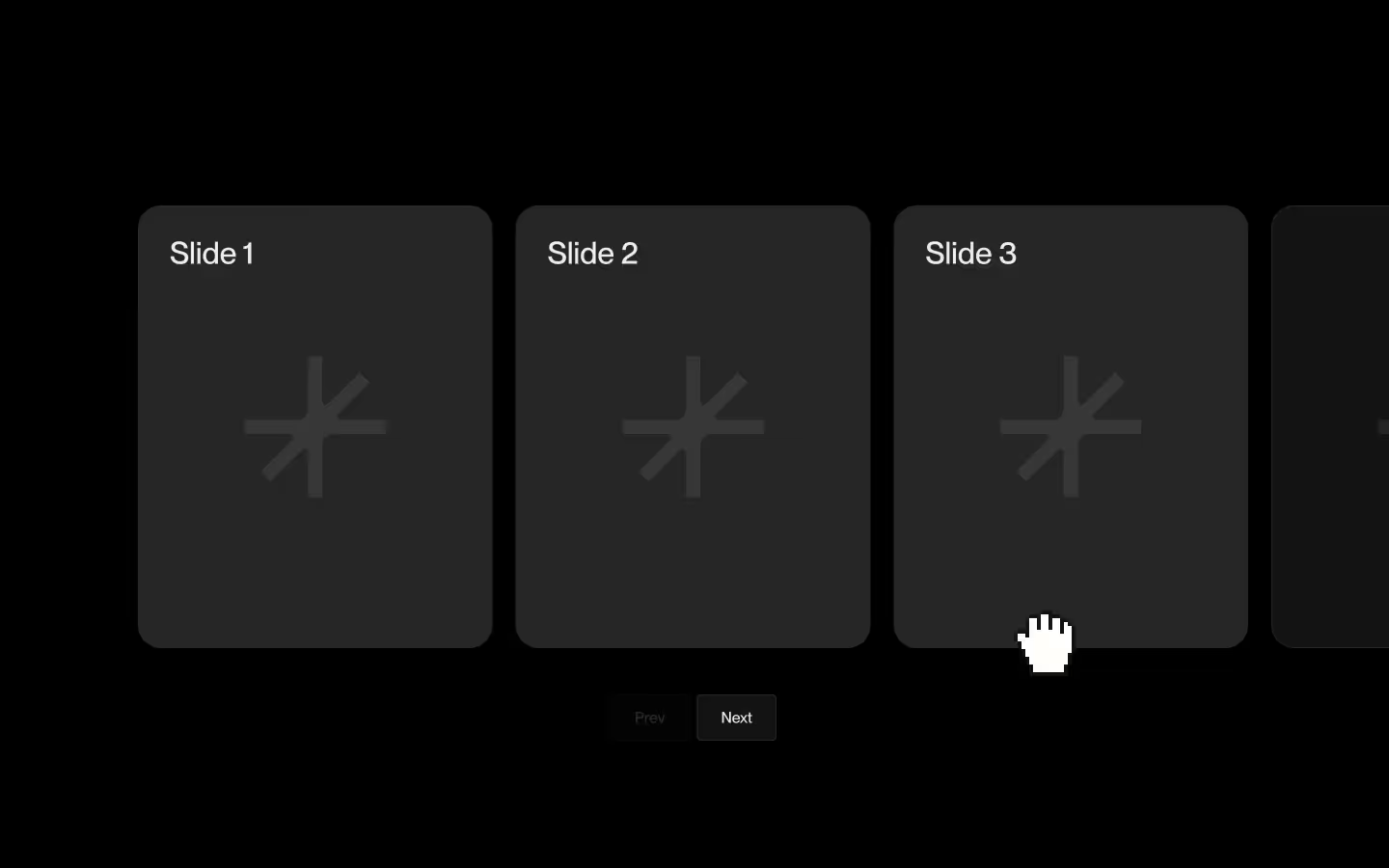
Use [data-dropping-stack-next] to trigger a forward rotation where the top card drops out and the next card enters the visible stack.
Use [data-dropping-stack-prev] to trigger a backward rotation where the previous card returns to the top and the stack shifts back one step.
Customizing
Edit the settings inside the script to control how many cards are visible, how the infinite loop behaves, how fast it animates, which easing curve it uses, and how far a card must be dragged before it triggers the next animation.
// Settings
const visibleCount = 4;
const minTotalForLoop = 5;
const duration = 0.75;
const mainEase = "osmo";
const dragThresholdPercent = 20;Resource details
Last updated
January 16, 2026
Category
Sliders & Marquees
Need help?
Join Slack
Original source
 Dennis Snellenberg
Creator Credits
We always strive to credit creators as accurately as possible. While similar concepts might appear online, we aim to provide proper and respectful attribution.