













































































Centered Looping Slider
Documentation
Webflow
Code
Setup: External Scripts
External Scripts in Webflow
Make sure to always put the External Scripts before the JavasScript step of the resource. In this video you learn where to put these in your Webflow project:
HTML
<script src="https://cdn.jsdelivr.net/npm/gsap@3.14.1/dist/gsap.min.js"></script>
<script src="https://cdn.jsdelivr.net/npm/gsap@3.14.1/dist/ScrollTrigger.min.js"></script>
<script src="https://cdn.jsdelivr.net/npm/gsap@3.14.1/dist/Draggable.min.js"></script>
<script src="https://cdn.jsdelivr.net/npm/gsap@3.14.1/dist/CustomEase.min.js"></script>
<script src="https://cdn.jsdelivr.net/npm/gsap@3.14.1/dist/InertiaPlugin.min.js"></script>
Step 1: Copy structure to Webflow
Copy structure to Webflow
In the video below we described how you can copy + paste the structure of this resource to your Webflow project:
Copy to Webflow
Webflow structure is not required for this resource.
Step 1: Add HTML
HTML
<div data-slider-autoplay-duration="4" aria-label="Testimonial Slider" data-centered-slider="wrapper" data-slider-autoplay="true" class="centered-slider-group">
<div class="container">
<div class="centered-slider-content">
<ul role="tablist" class="centered-slider-bullet__list">
<li class="centered-slider-bullet__item"><button data-centered-slider="bullet" role="tab" aria-selected="false" class="centered-slider-bullet"><img src="https://cdn.prod.website-files.com/67eeaec872efc86f0f0af614/67eec8a1ad3054186d3c6711_avatar-5.avif" alt=""></button></li>
<li class="centered-slider-bullet__item"><button data-centered-slider="bullet" role="tab" aria-selected="false" class="centered-slider-bullet"><img src="https://cdn.prod.website-files.com/67eeaec872efc86f0f0af614/67eec8a1af65ba866dc30020_avatar-2.avif" alt=""></button></li>
<li class="centered-slider-bullet__item"><button data-centered-slider="bullet" role="tab" aria-selected="false" class="centered-slider-bullet"><img src="https://cdn.prod.website-files.com/67eeaec872efc86f0f0af614/67eec8a1a74f278cb103f171_avatar-3.avif" alt=""></button></li>
<li class="centered-slider-bullet__item"><button data-centered-slider="bullet" role="tab" aria-selected="false" class="centered-slider-bullet"><img src="https://cdn.prod.website-files.com/67eeaec872efc86f0f0af614/67eec8a1014f1ec2c349acc8_avatar-6.avif" alt=""></button></li>
<li class="centered-slider-bullet__item"><button data-centered-slider="bullet" role="tab" aria-selected="false" class="centered-slider-bullet"><img src="https://cdn.prod.website-files.com/67eeaec872efc86f0f0af614/67eec8a154378639f0c3b8cb_avatar-4.avif" alt=""></button></li>
<li class="centered-slider-bullet__item"><button data-centered-slider="bullet" role="tab" aria-selected="false" class="centered-slider-bullet"><img src="https://cdn.prod.website-files.com/67eeaec872efc86f0f0af614/67eec8a1a49715653617490f_avatar-8.avif" alt=""></button></li>
<li class="centered-slider-bullet__item"><button data-centered-slider="bullet" role="tab" aria-selected="false" class="centered-slider-bullet"><img src="https://cdn.prod.website-files.com/67eeaec872efc86f0f0af614/67eec8a18cb9163202902407_avatar-1.avif" alt=""></button></li>
<li class="centered-slider-bullet__item"><button data-centered-slider="bullet" role="tab" aria-selected="false" class="centered-slider-bullet"><img src="https://cdn.prod.website-files.com/67eeaec872efc86f0f0af614/67eec8a088b02147174966b6_avatar-7.avif" alt=""></button></li>
</ul>
</div>
</div>
<div class="centered-slider-row">
<div aria-label="slides" data-centered-slider="list" role="group" class="centered-slider-list">
<div data-centered-slider="slide" class="centered-slider-slide">
<div class="centered-slider-slide__inner">
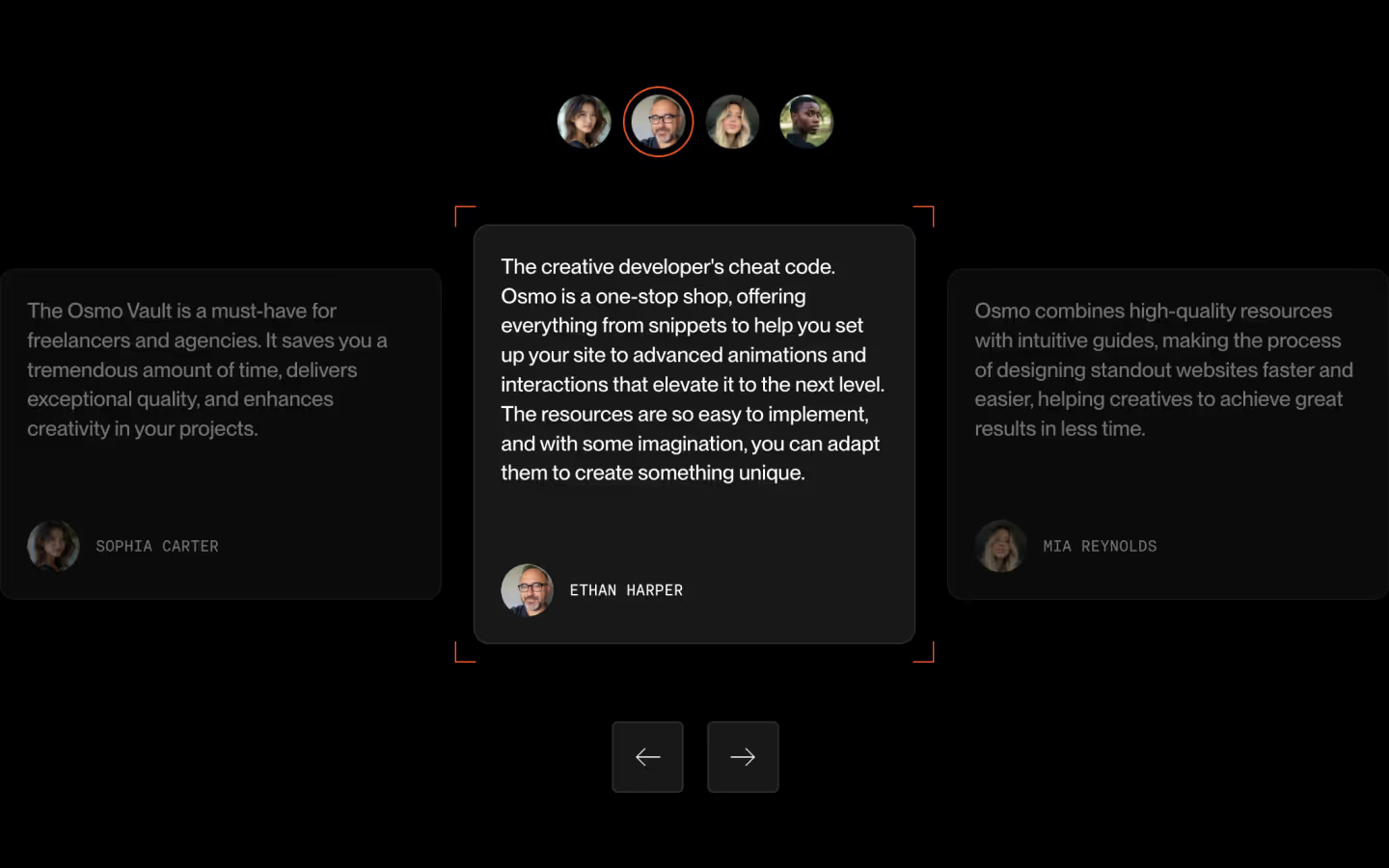
<p class="slide-demo__description">Osmo is my new go-to resource for the best Webflow cloneables and code snippets. It saves me a lot of time and elevates my workflow. The scaling system, in particular, is a game-changer—it’s exactly what I was missing and is now my fluid scaling solution for every project.</p>
<div class="slide-demo__details"><img src="https://cdn.prod.website-files.com/67eeaec872efc86f0f0af614/67eec8a1ad3054186d3c6711_avatar-5.avif" alt="" class="slide-demo__avatar"><span class="slide-demo__eyebrow">Liam Bennett</span></div>
</div>
</div>
<div data-centered-slider="slide" class="centered-slider-slide">
<div class="centered-slider-slide__inner">
<p class="slide-demo__description">The Osmo Vault is a must-have for freelancers and agencies. It saves you a tremendous amount of time, delivers exceptional quality, and enhances creativity in your projects.</p>
<div class="slide-demo__details"><img src="https://cdn.prod.website-files.com/67eeaec872efc86f0f0af614/67eec8a1af65ba866dc30020_avatar-2.avif" alt="" class="slide-demo__avatar"><span class="slide-demo__eyebrow">Sophia Carter</span></div>
</div>
</div>
<div data-centered-slider="slide" class="centered-slider-slide">
<div class="centered-slider-slide__inner">
<p class="slide-demo__description">The creative developer's cheat code. Osmo is a one-stop shop, offering everything from snippets to help you set up your site to advanced animations and interactions that elevate it to the next level. The resources are so easy to implement, and with some imagination, you can adapt them to create something unique.</p>
<div class="slide-demo__details"><img src="https://cdn.prod.website-files.com/67eeaec872efc86f0f0af614/67eec8a1a74f278cb103f171_avatar-3.avif" alt="" class="slide-demo__avatar"><span class="slide-demo__eyebrow">Ethan Harper</span></div>
</div>
</div>
<div data-centered-slider="slide" class="centered-slider-slide">
<div class="centered-slider-slide__inner">
<p class="slide-demo__description">Osmo combines high-quality resources with intuitive guides, making the process of designing standout websites faster and easier, helping creatives to achieve great results in less time.</p>
<div class="slide-demo__details"><img src="https://cdn.prod.website-files.com/67eeaec872efc86f0f0af614/67eec8a1014f1ec2c349acc8_avatar-6.avif" alt="" class="slide-demo__avatar"><span class="slide-demo__eyebrow">Mia Reynolds</span></div>
</div>
</div>
<div data-centered-slider="slide" class="centered-slider-slide">
<div class="centered-slider-slide__inner">
<p class="slide-demo__description">One of a kind platform for any developers out there. It's incredible to be able to see and learn how the pros implement their animations. If you love web animations and creative development, this platform this a no brainer—just sign up already.</p>
<div class="slide-demo__details"><img src="https://cdn.prod.website-files.com/67eeaec872efc86f0f0af614/67eec8a154378639f0c3b8cb_avatar-4.avif" alt="" class="slide-demo__avatar"><span class="slide-demo__eyebrow">Noah Brooks</span></div>
</div>
</div>
<div data-centered-slider="slide" class="centered-slider-slide">
<div class="centered-slider-slide__inner">
<p class="slide-demo__description">Flawless UI—detailed, easy to implement, and straight-up reliable. The code is clean, well-explained, and ready to drop into Webflow without a hitch. You can tell it’s built by pros. Love it and definitely using this on most of my projects. Osmo is the real deal.</p>
<div class="slide-demo__details"><img src="https://cdn.prod.website-files.com/67eeaec872efc86f0f0af614/67eec8a1a49715653617490f_avatar-8.avif" alt="" class="slide-demo__avatar"><span class="slide-demo__eyebrow">Olivia Porter</span></div>
</div>
</div>
<div data-centered-slider="slide" class="centered-slider-slide">
<div class="centered-slider-slide__inner">
<p class="slide-demo__description">Osmo is full of awesome (and easy to use) interactions that save so much time. They’re visually powerful but also robust, and the best thing is, it’s only going to get better as more even resources get added! Oh and it doesn’t hurt that the dashboard looks sick too.</p>
<div class="slide-demo__details"><img src="https://cdn.prod.website-files.com/67eeaec872efc86f0f0af614/67eec8a18cb9163202902407_avatar-1.avif" alt="" class="slide-demo__avatar"><span class="slide-demo__eyebrow">Lucas Mitchell</span></div>
</div>
</div>
<div data-centered-slider="slide" class="centered-slider-slide">
<div class="centered-slider-slide__inner">
<p class="slide-demo__description">It's nice to get access to some creative dev best kept secrets - they're a great a source of inspiration for animations and interactions. Already found out some tricks for some issues that were giving me headaches before! Love how it explains the implementation rather than blindly copy-pasting it, making it much easier to customize.</p>
<div class="slide-demo__details"><img src="https://cdn.prod.website-files.com/67eeaec872efc86f0f0af614/67eec8a088b02147174966b6_avatar-7.avif" alt="" class="slide-demo__avatar"><span class="slide-demo__eyebrow">Ava Thompson</span></div>
</div>
</div>
</div>
</div>
<div class="container">
<div class="centered-slider-content">
<div class="centered-slider-buttons">
<button aria-label="previous slide" data-centered-slider="prev-button" class="centered-slider-button is--prev">
<svg xmlns="http://www.w3.org/2000/svg" width="100%" viewbox="0 0 24 24" fill="none" class="slider-button-arrow">
<path d="M14 19L21 12L14 5" stroke="currentColor" stroke-miterlimit="10"></path>
<path d="M21 12H2" stroke="currentColor" stroke-miterlimit="10"></path>
</svg>
</button>
<button aria-label="next slide" data-centered-slider="next-button" class="centered-slider-button"><svg xmlns="http://www.w3.org/2000/svg" width="100%" viewbox="0 0 24 24" fill="none" class="slider-button-arrow">
<path d="M14 19L21 12L14 5" stroke="currentColor" stroke-miterlimit="10"></path>
<path d="M21 12H2" stroke="currentColor" stroke-miterlimit="10"></path>
</svg>
</button>
</div>
</div>
</div>
</div>HTML structure is not required for this resource.
Step 2: Add CSS
CSS
.centered-slider-row {
  width: 100%;
  margin-top: 2em;
  margin-bottom: 4em;
  padding-top: 1em;
  padding-bottom: 1em;
  display: flex;
  position: relative;
  overflow: clip;
}

.centered-slider-list {
  flex-flow: row;
  justify-content: flex-start;
  align-items: center;
  width: 100%;
  display: flex;
}

.centered-slider-slide {
  flex: none;
  padding: 0.75em;
  transition: opacity .25s cubic-bezier(.77, 0, .175, 1);
  position: relative;
}

.centered-slider-slide__inner {
  position: relative;
  display: flex;
  width: 21em;
  padding-top: 1.25em;
  padding-right: 1.25em;
  padding-bottom: 1.25em;
  padding-left: 1.25em;
  flex-direction: column;
  justify-content: flex-start;
  flex-wrap: nowrap;
  align-items: flex-start;
  grid-column-gap: 3em;
  grid-row-gap: 3em;
  border: 1px solid #efeeec1a;
  background-color: rgba(239, 238, 236, 0.1);
}

.centered-slider-row:has( .centered-slider-slide.active) .centered-slider-slide:not(.active){
  opacity: 0.45;
}

/* Little (orange) corners on each slide */
/* https://css-tip.com/corner-only-border-image/ */
.centered-slider-slide::after {
  --size: 1em; /* corner size */
  --width: 1px;  /* border width */
  --gap: 0.125em; /* gap */
  --color: #FF4C24;
  content: '';
  position: absolute;
  inset: calc(var(--gap) * -1);
  z-index: 1;
  opacity: 0;
  padding: calc(var(--gap) + var(--width));
  outline: var(--width) solid var(--color);
  outline-offset: calc(var(--gap)/-1);
  mask:
    conic-gradient(at var(--size) var(--size),#0000 75%,#000 0)
    0 0/calc(100% - var(--size)) calc(100% - var(--size)),
    linear-gradient(#000 0 0) content-box;
  transition: all 0.4s cubic-bezier(0.65, 0.05, 0, 1);
}
.centered-slider-slide.active::after {
  outline-offset: calc(-1*var(--width));
  opacity: 1;
}

.slide-demo__details {
  grid-column-gap: .75em;
  grid-row-gap: .75em;
  justify-content: flex-start;
  align-items: center;
  display: flex;
}

.slide-demo__avatar {
  border-radius: 100em;
  width: 2.5em;
  height: 2.5em;
  overflow: hidden;
}

.slide-demo__eyebrow {
  text-transform: uppercase;
  font-family: RM Mono, Arial, sans-serif;
  font-size: .75em;
  line-height: 1.2;
}

.centered-slider-content {
  justify-content: center;
  align-items: center;
  margin-left: auto;
  margin-right: auto;
  display: flex;
}

.centered-slider-bullet__list {
  grid-column-gap: .75em;
  grid-row-gap: .75em;
  flex-flow: wrap;
  justify-content: center;
  align-items: center;
  margin-bottom: 0;
  padding: 0;
  list-style: none;
  display: flex;
}

.centered-slider-bullet {
  background-color: #0000;
  border-radius: 100em;
  width: 2em;
  height: 2em;
  padding: 0;
  position: relative;
}

.centered-slider-bullet:focus {
  border: none;
  outline: none;
}

.centered-slider-bullet::after{
  content: '';
  position: absolute;
  inset: 2px;
  border-radius: 100em;
  z-index: -1;
  border: 1px solid #FF4C24;
  transition: all 0.5s cubic-bezier(0.65, 0.05, 0, 1);
}

.centered-slider-bullet:hover::after,
.centered-slider-bullet.active::after,
.centered-slider-bullet:focus::after{
  inset: -5px;
}

.centered-slider-buttons {
  grid-column-gap: 1em;
  grid-row-gap: 1em;
  justify-content: center;
  align-items: center;
  display: flex;
}

.centered-slider-button {
  background-color: #efeeec1a;
  border: 1px solid #efeeec1a;
  border-radius: .25em;
  justify-content: center;
  align-items: center;
  width: 3em;
  height: 3em;
  padding: 0;
  transition: border-color .2s, background-color .2s;
  display: flex;
}

.centered-slider-button:hover {
  background-color: #efeeec33;
  border-color: #efeeec40;
}

.centered-slider-button.is--prev {
  transform: rotate(-180deg);
}

.slider-button-arrow {
  justify-content: center;
  align-items: center;
  width: 1.25em;
}

@media screen and (max-width: 479px) {
  .centered-slider-slide {
    width: 85vw;
  }

  .centered-slider-slide__inner {
    width: 100%;
  }
}
Step 2: Add custom Javascript
Custom Javascript in Webflow
In this video, Ilja gives you some guidance about using JavaScript in Webflow:
Step 2: Add Javascript
Step 3: Add Javascript
Javascript
gsap.registerPlugin(CustomEase, ScrollTrigger, Draggable, InertiaPlugin)

CustomEase.create("osmo-ease", "0.625, 0.05, 0, 1")

function initSliders() {
  const sliderWrappers = gsap.utils.toArray(document.querySelectorAll('[data-centered-slider="wrapper"]'));

  sliderWrappers.forEach((sliderWrapper) => {
    const slides = gsap.utils.toArray(sliderWrapper.querySelectorAll('[data-centered-slider="slide"]'));
    const bullets = gsap.utils.toArray(sliderWrapper.querySelectorAll('[data-centered-slider="bullet"]'));
    const prevButton = sliderWrapper.querySelector('[data-centered-slider="prev-button"]');
    const nextButton = sliderWrapper.querySelector('[data-centered-slider="next-button"]');

    let activeElement;
    let activeBullet;
    let currentIndex = 0;
    let autoplay;

    // Autoplay is now enabled/disabled via a boolean attribute.
    const autoplayEnabled = sliderWrapper.getAttribute('data-slider-autoplay') === 'true';

    // If enabled, get the autoplay duration (in seconds) from the separate attribute.
    const autoplayDuration = autoplayEnabled ? parseFloat(sliderWrapper.getAttribute('data-slider-autoplay-duration')) || 0 : 0;

    // Dynamically assign unique IDs to slides
    slides.forEach((slide, i) => {
      slide.setAttribute("id", `slide-${i}`);
    });

    // Set ARIA attributes on bullets if they exist
    if (bullets && bullets.length > 0) {
      bullets.forEach((bullet, i) => {
        bullet.setAttribute("aria-controls", `slide-${i}`);
        bullet.setAttribute("aria-selected", i === currentIndex ? "true" : "false");
      });
    }

    const loop = horizontalLoop(slides, {
      paused: true,
      draggable: true,
      center: true,
      onChange: (element, index) => {
        currentIndex = index;

        if (activeElement) activeElement.classList.remove("active");
        element.classList.add("active");
        activeElement = element;

        if (bullets && bullets.length > 0) {
          if (activeBullet) activeBullet.classList.remove("active");
          if (bullets[index]) {
            bullets[index].classList.add("active");
            activeBullet = bullets[index];
          }
          bullets.forEach((bullet, i) => {
            bullet.setAttribute("aria-selected", i === index ? "true" : "false");
          });
        }

      }
    });

    // On initialization, center the slider
    loop.toIndex(2, { duration: 0.01 });

    function startAutoplay() {
      if (autoplayDuration > 0 && !autoplay) {
        const repeat = () => {
          loop.next({ ease: "osmo-ease", duration: 0.725 });
          autoplay = gsap.delayedCall(autoplayDuration, repeat);
        };
        autoplay = gsap.delayedCall(autoplayDuration, repeat);
      }
    }

    function stopAutoplay() {
      if (autoplay) {
        autoplay.kill();
        autoplay = null;
      }
    }

    // Start/stop autoplay based on viewport visibility via ScrollTrigger
    ScrollTrigger.create({
      trigger: sliderWrapper,
      start: "top bottom",
      end: "bottom top",
      onEnter: startAutoplay,
      onLeave: stopAutoplay,
      onEnterBack: startAutoplay,
      onLeaveBack: stopAutoplay
    });

    // Pause autoplay on mouse hover over the slider
    sliderWrapper.addEventListener("mouseenter", stopAutoplay);
    sliderWrapper.addEventListener("mouseleave", () => {
      if (ScrollTrigger.isInViewport(sliderWrapper)) startAutoplay();
    });

    // Slide click event for direct navigation
    slides.forEach((slide, i) => {
      slide.addEventListener("click", () => {
        loop.toIndex(i, { ease: "osmo-ease", duration: 0.725 });
      });
    });

    // Bullets click event for direct navigation (if available)
    if (bullets && bullets.length > 0) {
      bullets.forEach((bullet, i) => {
        bullet.addEventListener("click", () => {
          loop.toIndex(i, { ease: "osmo-ease", duration: 0.725 });
          if (activeBullet) activeBullet.classList.remove("active");
          bullet.classList.add("active");
          activeBullet = bullet;
          bullets.forEach((b, j) => {
            b.setAttribute("aria-selected", j === i ? "true" : "false");
          });
        });
      });
    }

    // Prev/Next button listeners (if the buttons exist)
    if (prevButton) {
      prevButton.addEventListener("click", () => {
        let newIndex = currentIndex - 1;
        if (newIndex < 0) newIndex = slides.length - 1;
        loop.toIndex(newIndex, { ease: "osmo-ease", duration: 0.725 });
      });
    }

    if (nextButton) {
      nextButton.addEventListener("click", () => {
        let newIndex = currentIndex + 1;
        if (newIndex >= slides.length) newIndex = 0;
        loop.toIndex(newIndex, { ease: "osmo-ease", duration: 0.725 });
      });
    }

  });
}

document.addEventListener("DOMContentLoaded", () =>{
  initSliders()
})

// GSAP Helper function to create a looping slider
// Read more: https://gsap.com/docs/v3/HelperFunctions/helpers/seamlessLoop
function horizontalLoop(items, config) {
  let timeline;
  items = gsap.utils.toArray(items);
  config = config || {};
  gsap.context(() => {
    let onChange = config.onChange,
      lastIndex = 0,
      tl = gsap.timeline({repeat: config.repeat, onUpdate: onChange && function() {
          let i = tl.closestIndex();
          if (lastIndex !== i) {
            lastIndex = i;
            onChange(items[i], i);
          }
        }, paused: config.paused, defaults: {ease: "none"}, onReverseComplete: () => tl.totalTime(tl.rawTime() + tl.duration() * 100)}),
      length = items.length,
      startX = items[0].offsetLeft,
      times = [],
      widths = [],
      spaceBefore = [],
      xPercents = [],
      curIndex = 0,
      indexIsDirty = false,
      center = config.center,
      pixelsPerSecond = (config.speed || 1) * 100,
      snap = config.snap === false ? v => v : gsap.utils.snap(config.snap || 1),
      timeOffset = 0,
      container = center === true ? items[0].parentNode : gsap.utils.toArray(center)[0] || items[0].parentNode,
      totalWidth,
      getTotalWidth = () => items[length-1].offsetLeft + xPercents[length-1] / 100 * widths[length-1] - startX + spaceBefore[0] + items[length-1].offsetWidth * gsap.getProperty(items[length-1], "scaleX") + (parseFloat(config.paddingRight) || 0),
      populateWidths = () => {
        let b1 = container.getBoundingClientRect(), b2;
        items.forEach((el, i) => {
          widths[i] = parseFloat(gsap.getProperty(el, "width", "px"));
          xPercents[i] = snap(parseFloat(gsap.getProperty(el, "x", "px")) / widths[i] * 100 + gsap.getProperty(el, "xPercent"));
          b2 = el.getBoundingClientRect();
          spaceBefore[i] = b2.left - (i ? b1.right : b1.left);
          b1 = b2;
        });
        gsap.set(items, {
          xPercent: i => xPercents[i]
        });
        totalWidth = getTotalWidth();
      },
      timeWrap,
      populateOffsets = () => {
        timeOffset = center ? tl.duration() * (container.offsetWidth / 2) / totalWidth : 0;
        center && times.forEach((t, i) => {
          times[i] = timeWrap(tl.labels["label" + i] + tl.duration() * widths[i] / 2 / totalWidth - timeOffset);
        });
      },
      getClosest = (values, value, wrap) => {
        let i = values.length,
          closest = 1e10,
          index = 0, d;
        while (i--) {
          d = Math.abs(values[i] - value);
          if (d > wrap / 2) {
            d = wrap - d;
          }
          if (d < closest) {
            closest = d;
            index = i;
          }
        }
        return index;
      },
      populateTimeline = () => {
        let i, item, curX, distanceToStart, distanceToLoop;
        tl.clear();
        for (i = 0; i < length; i++) {
          item = items[i];
          curX = xPercents[i] / 100 * widths[i];
          distanceToStart = item.offsetLeft + curX - startX + spaceBefore[0];
          distanceToLoop = distanceToStart + widths[i] * gsap.getProperty(item, "scaleX");
          tl.to(item, {xPercent: snap((curX - distanceToLoop) / widths[i] * 100), duration: distanceToLoop / pixelsPerSecond}, 0)
            .fromTo(item, {xPercent: snap((curX - distanceToLoop + totalWidth) / widths[i] * 100)}, {xPercent: xPercents[i], duration: (curX - distanceToLoop + totalWidth - curX) / pixelsPerSecond, immediateRender: false}, distanceToLoop / pixelsPerSecond)
            .add("label" + i, distanceToStart / pixelsPerSecond);
          times[i] = distanceToStart / pixelsPerSecond;
        }
        timeWrap = gsap.utils.wrap(0, tl.duration());
      },
      refresh = (deep) => {
        let progress = tl.progress();
        tl.progress(0, true);
        populateWidths();
        deep && populateTimeline();
        populateOffsets();
        deep && tl.draggable ? tl.time(times[curIndex], true) : tl.progress(progress, true);
      },
      onResize = () => refresh(true),
      proxy;
    gsap.set(items, {x: 0});
    populateWidths();
    populateTimeline();
    populateOffsets();
    window.addEventListener("resize", onResize);
    function toIndex(index, vars) {
      vars = vars || {};
      (Math.abs(index - curIndex) > length / 2) && (index += index > curIndex ? -length : length); // always go in the shortest direction
      let newIndex = gsap.utils.wrap(0, length, index),
        time = times[newIndex];
      if (time > tl.time() !== index > curIndex && index !== curIndex) { // if we're wrapping the timeline's playhead, make the proper adjustments
        time += tl.duration() * (index > curIndex ? 1 : -1);
      }
      if (time < 0 || time > tl.duration()) {
        vars.modifiers = {time: timeWrap};
      }
      curIndex = newIndex;
      vars.overwrite = true;
      gsap.killTweensOf(proxy);
      return vars.duration === 0 ? tl.time(timeWrap(time)) : tl.tweenTo(time, vars);
    }
    tl.toIndex = (index, vars) => toIndex(index, vars);
    tl.closestIndex = setCurrent => {
      let index = getClosest(times, tl.time(), tl.duration());
      if (setCurrent) {
        curIndex = index;
        indexIsDirty = false;
      }
      return index;
    };
    tl.current = () => indexIsDirty ? tl.closestIndex(true) : curIndex;
    tl.next = vars => toIndex(tl.current()+1, vars);
    tl.previous = vars => toIndex(tl.current()-1, vars);
    tl.times = times;
    tl.progress(1, true).progress(0, true); // pre-render for performance
    if (config.reversed) {
      tl.vars.onReverseComplete();
      tl.reverse();
    }
    if (config.draggable && typeof(Draggable) === "function") {
      proxy = document.createElement("div")
      let wrap = gsap.utils.wrap(0, 1),
        ratio, startProgress, draggable, dragSnap, lastSnap, initChangeX, wasPlaying,
        align = () => tl.progress(wrap(startProgress + (draggable.startX - draggable.x) * ratio)),
        syncIndex = () => tl.closestIndex(true);
      typeof(InertiaPlugin) === "undefined" && console.warn("InertiaPlugin required for momentum-based scrolling and snapping. https://greensock.com/club");
      draggable = Draggable.create(proxy, {
        trigger: items[0].parentNode,
        type: "x",
        onPressInit() {
          let x = this.x;
          gsap.killTweensOf(tl);
          wasPlaying = !tl.paused();
          tl.pause();
          startProgress = tl.progress();
          refresh();
          ratio = 1 / totalWidth;
          initChangeX = (startProgress / -ratio) - x;
          gsap.set(proxy, {x: startProgress / -ratio});
        },
        onDrag: align,
        onThrowUpdate: align,
        overshootTolerance: 0,
        inertia: true,
        snap(value) {
          if (Math.abs(startProgress / -ratio - this.x) < 10) {
            return lastSnap + initChangeX
          }
          let time = -(value * ratio) * tl.duration(),
            wrappedTime = timeWrap(time),
            snapTime = times[getClosest(times, wrappedTime, tl.duration())],
            dif = snapTime - wrappedTime;
          Math.abs(dif) > tl.duration() / 2 && (dif += dif < 0 ? tl.duration() : -tl.duration());
          lastSnap = (time + dif) / tl.duration() / -ratio;
          return lastSnap;
        },
        onRelease() {
          syncIndex();
          draggable.isThrowing && (indexIsDirty = true);
        },
        onThrowComplete: () => {
          syncIndex();
          wasPlaying && tl.play();
        }
      })[0];
      tl.draggable = draggable;
    }
    tl.closestIndex(true);
    lastIndex = curIndex;
    onChange && onChange(items[curIndex], curIndex);
    timeline = tl;
    return () => window.removeEventListener("resize", onResize);
  });
  return timeline;

}
Step 3: Add custom CSS
Step 2: Add custom CSS
Custom CSS in Webflow
Curious about where to put custom CSS in Webflow? Ilja explains it in the below video:
CSS
/* Orange highlight ring on bullet point nav for hover + focus states */
.centered-slider-bullet::after{
  content: '';
  position: absolute;
  inset: 2px;
  border-radius: 100em;
  z-index: -1;
  border: 1px solid #FF4C24;
  transition: all 0.5s cubic-bezier(0.65, 0.05, 0, 1);
}

.centered-slider-bullet:hover::after,
.centered-slider-bullet.active::after,
.centered-slider-bullet:focus::after{
  inset: -5px;
}

/* Fade non-active slides */
.centered-slider-row:has( .centered-slider-slide.active) .centered-slider-slide:not(.active){
  opacity: 0.45;
}

/* Little (orange) corners on each slide */
/* https://css-tip.com/corner-only-border-image/ */
.centered-slider-slide::after {
  --size: 1em; /* corner size */
  --width: 1px;  /* border width */
  --gap: 0.5em; /* gap */
  --color: #FF4C24;
  content: '';
  position: absolute;
  inset: calc(var(--gap) * -1);
  z-index: 1;
  opacity: 0;
  padding: calc(var(--gap) + var(--width));
  outline: var(--width) solid var(--color);
  outline-offset: calc(var(--gap)/-1);
  mask:
    conic-gradient(at var(--size) var(--size),#0000 75%,#000 0)
    0 0/calc(100% - var(--size)) calc(100% - var(--size)),
    linear-gradient(#000 0 0) content-box;
  transition: all 0.4s cubic-bezier(0.65, 0.05, 0, 1);
}

.centered-slider-slide.active::after {
  outline-offset: calc(-1*var(--width));
  opacity: 1;
}
Implementation
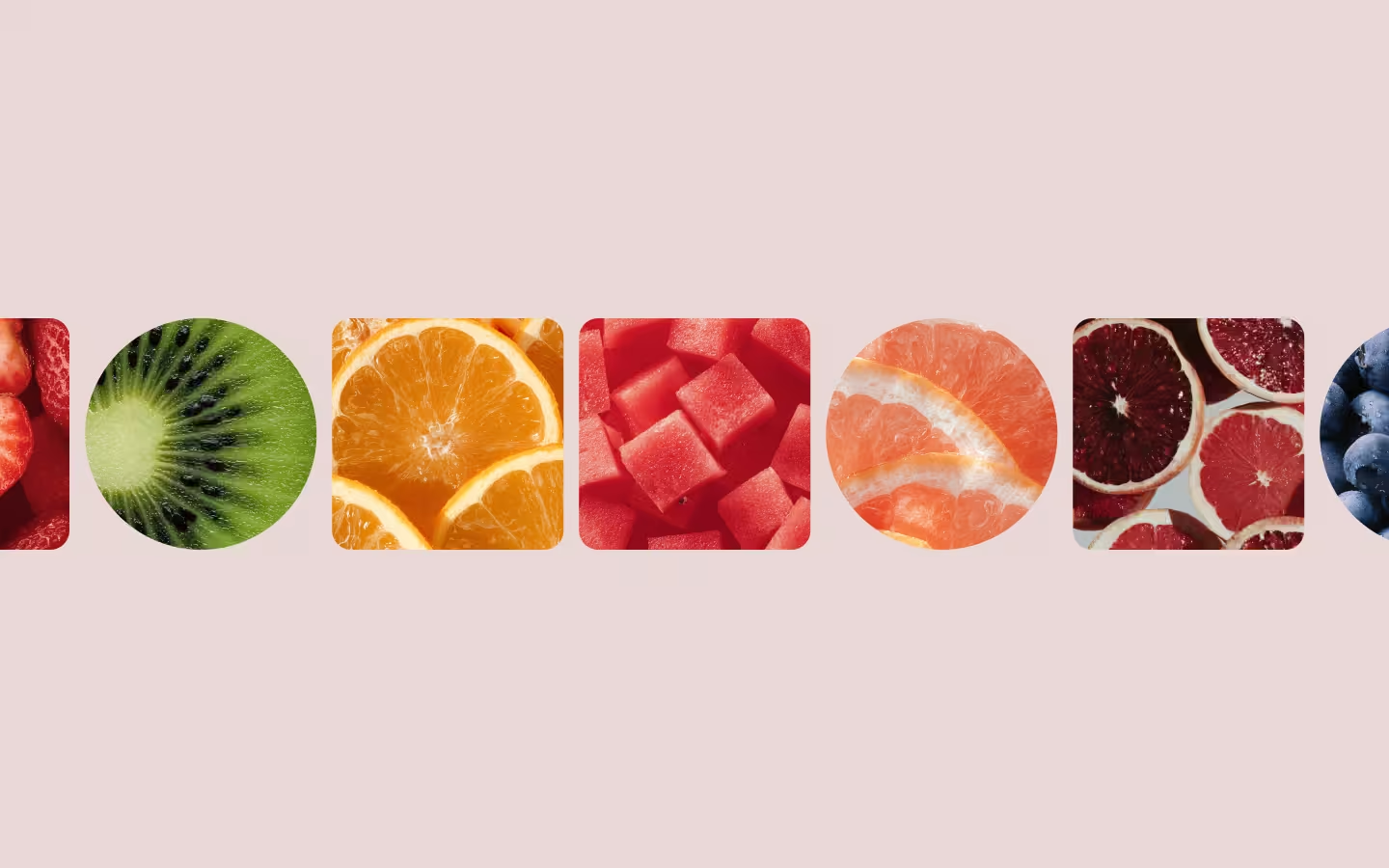
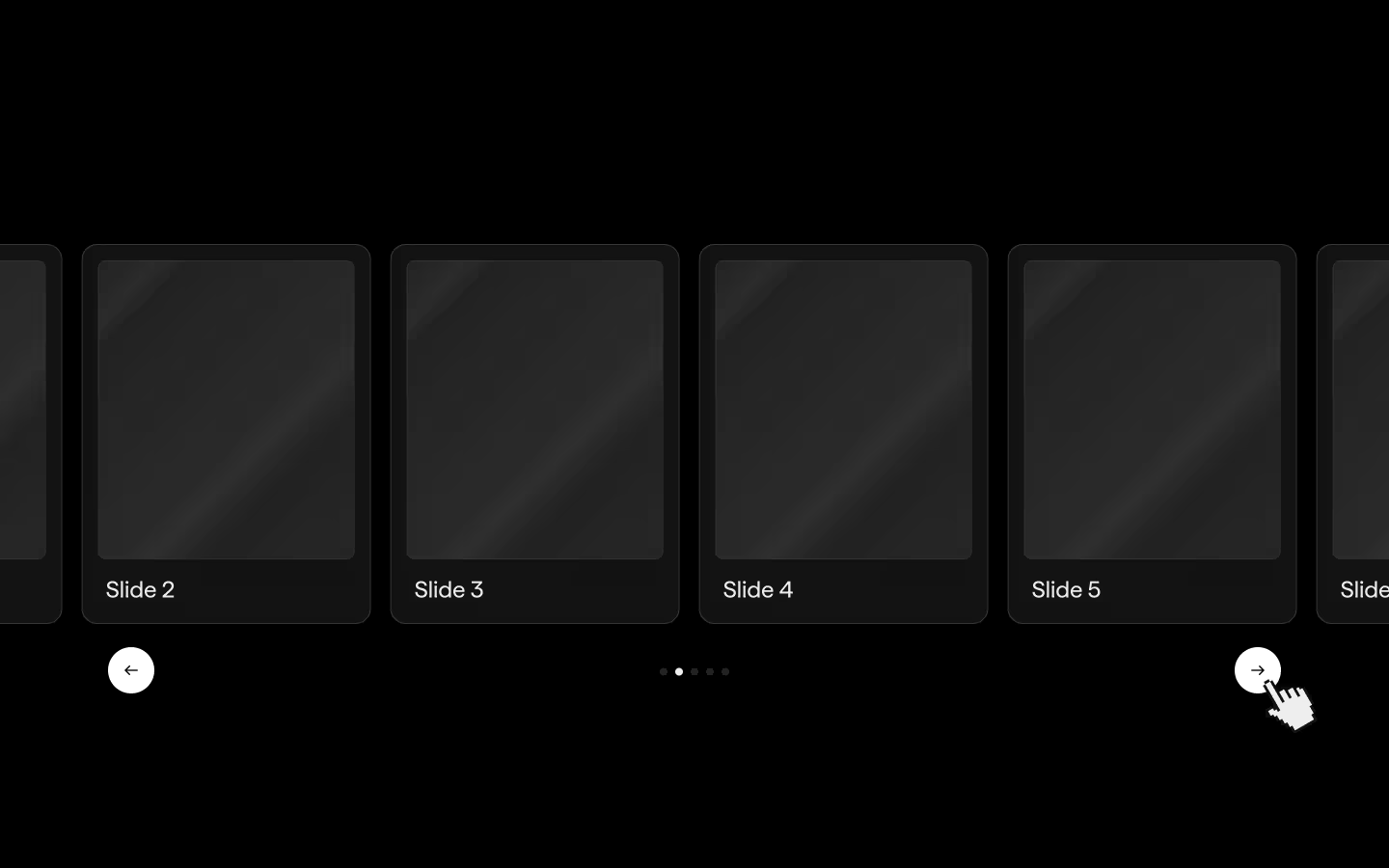
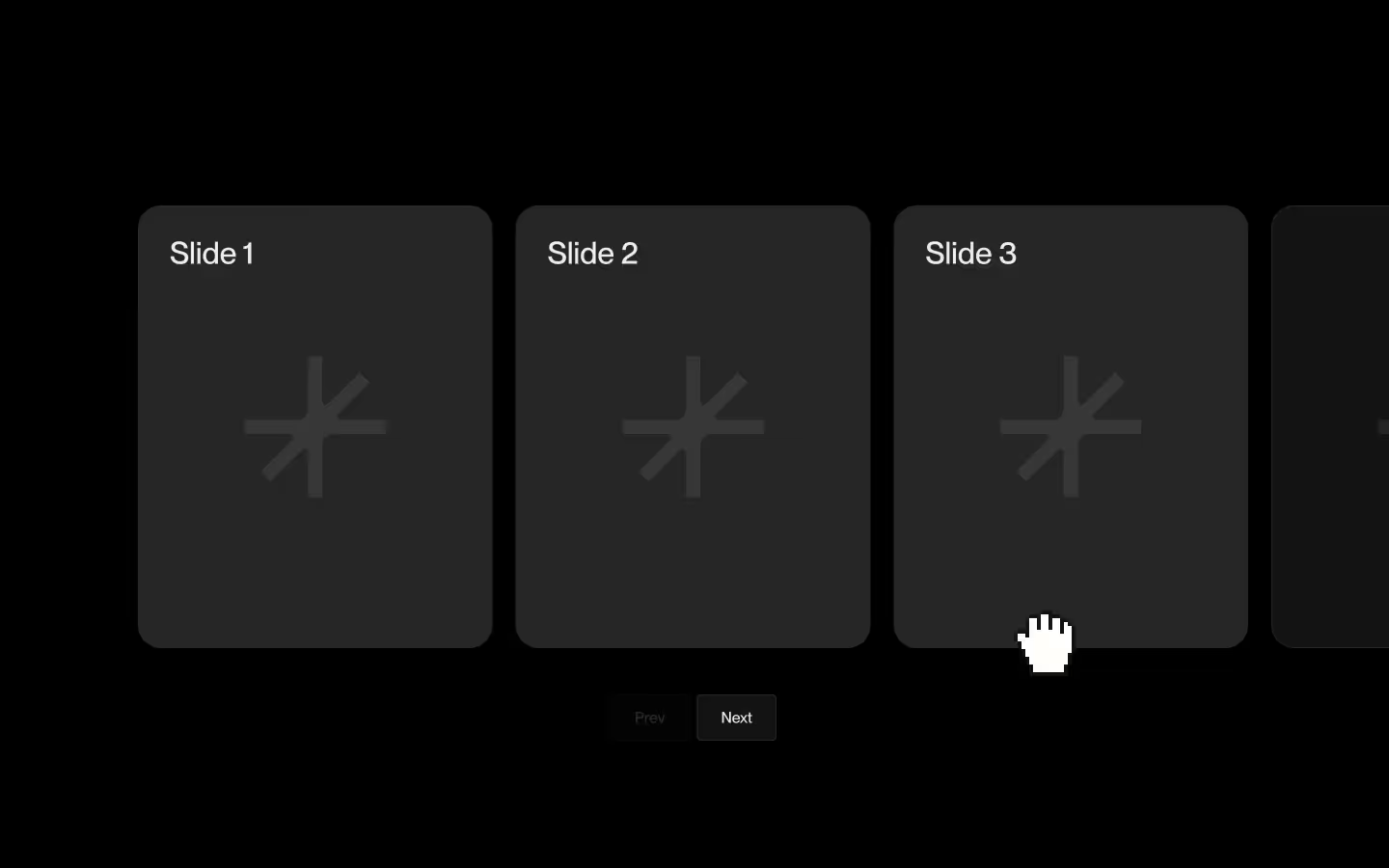
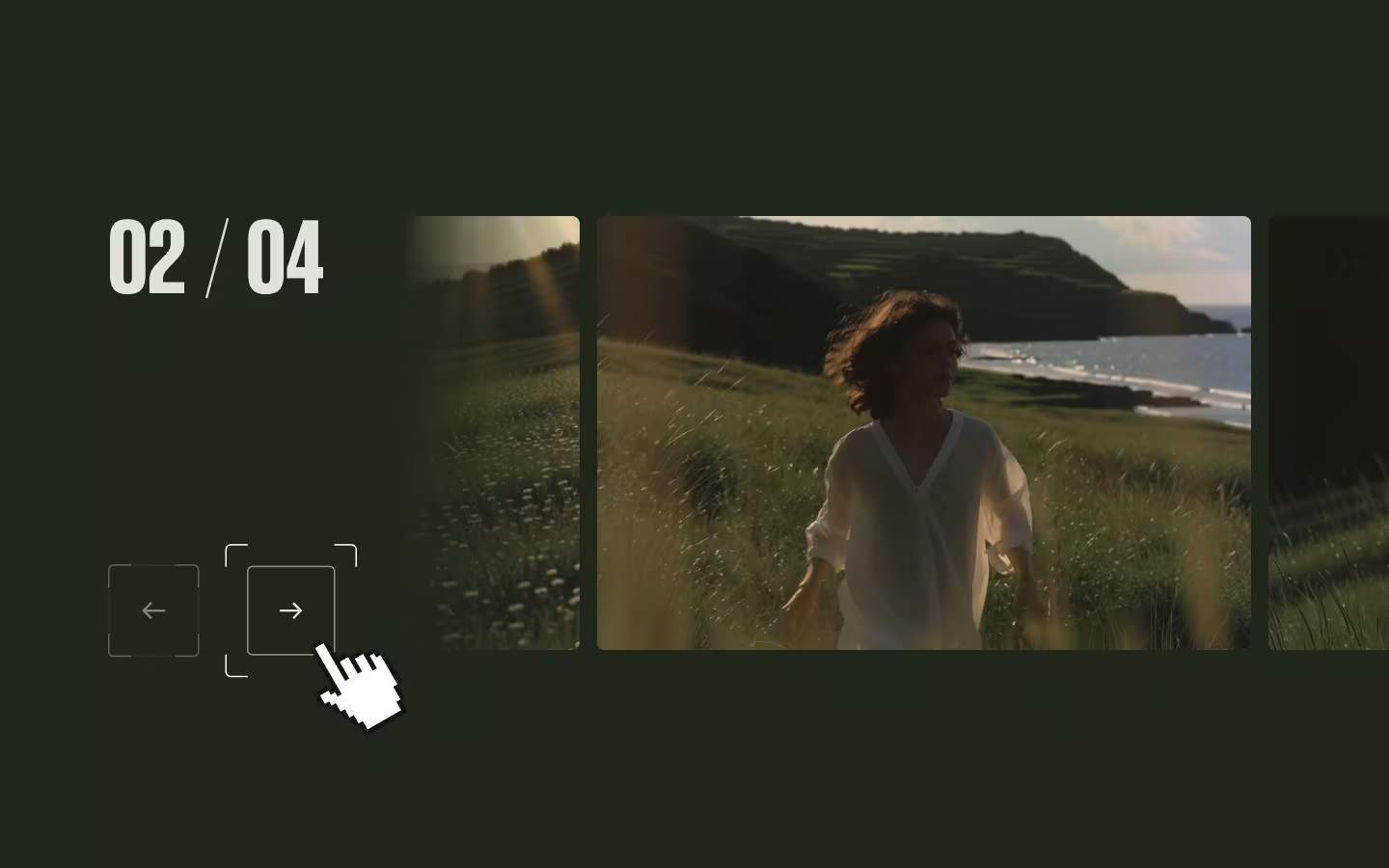
This Slider leverages GSAP Draggable, Intertia and ScrollTrigger to create a responsive slider with support for click, drag, and autoplay interactions. Here’s how you can implement it:
HTML Structure
Wrapper:
Use a container with the attribute data-centered-slider="wrapper". Autoplay is optional, and is added as follows:
<div data-centered-slider="wrapper" data-slider-autoplay="true" data-slider-autoplay-duration="4">Slides:
Each slide must have data-centered-slider="slide". Unique IDs are dynamically assigned (e.g., slide-0, slide-1, …).
Bullets:
Navigation bullets are buttons marked with data-centered-slider="bullet". They include ARIA attributes like aria-controls and aria-selected. In our example we've set larger thumbnails, but these could of course also be more traditional bullet point navigation items.
Prev/Next Controls:
Add buttons with data-centered-slider="prev-button" and data-centered-slider="next-button", and provide aria-label values.
JavaScript Functionality
Initialization:
On DOMContentLoaded, the slider initializes by assigning unique IDs to slides and setting ARIA attributes on bullets.
Animation & Interaction:
- Uses GSAP’s horizontalLoop with a custom ease to animate transitions.
- Users can navigate by clicking slides or bullets, using prev/next buttons, or dragging slides (with GSAP Draggable and InertiaPlugin).
- When
data-slider-autoplayis "true", the slider automatically advances using a duration defined indata-slider-autoplay-duration(in seconds).
ScrollTrigger pauses autoplay when the slider is off-screen or hovered, resuming when visible.
Resource details
Last updated
December 16, 2025
Category
Sliders & Marquees
Need help?
Join Slack
Original source
 Osmo
OsmoCreator Credits
We always strive to credit creators as accurately as possible. While similar concepts might appear online, we aim to provide proper and respectful attribution.