













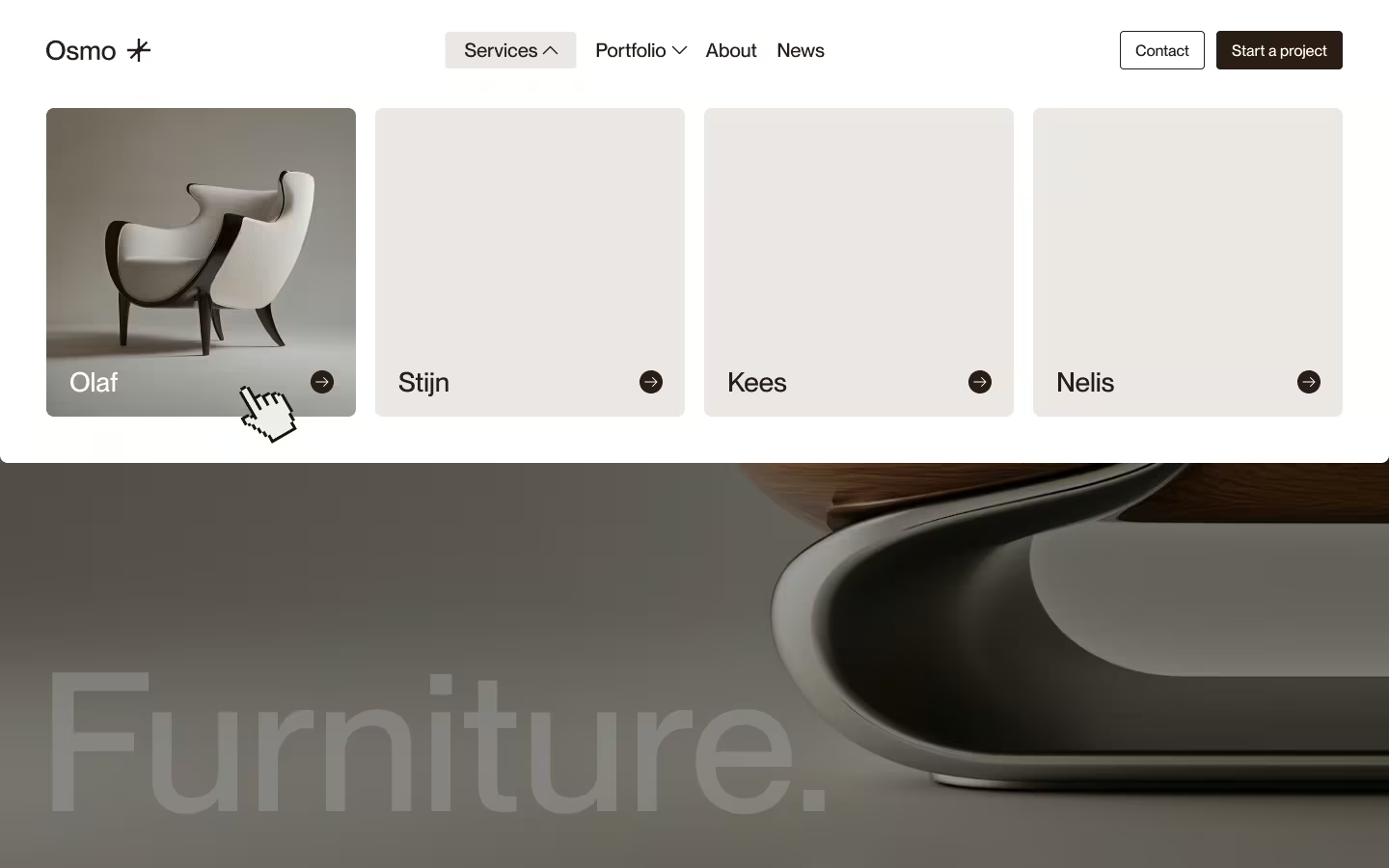

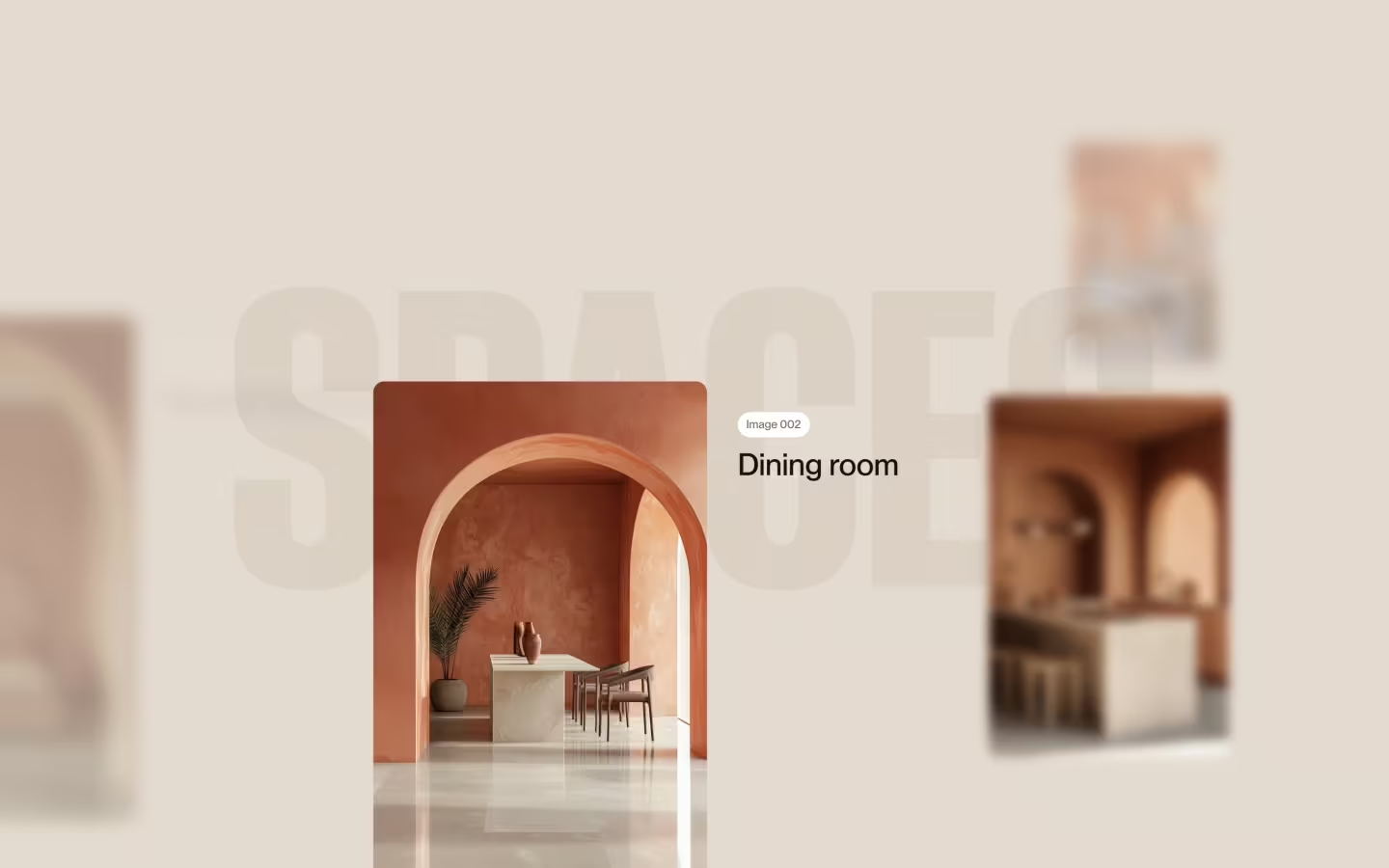







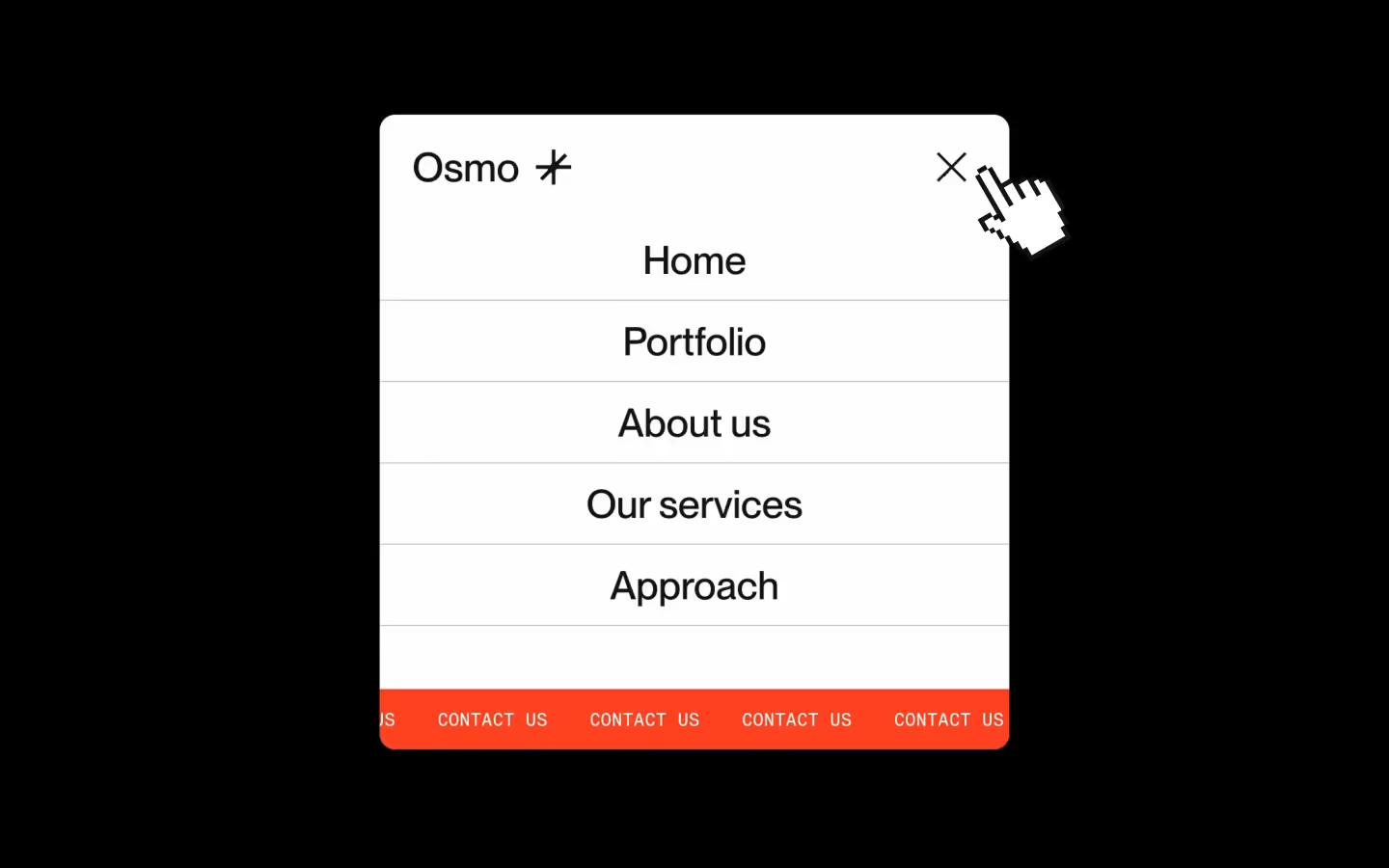






























Two-step Scaling Navigation
Documentation
Webflow
Code
Setup: External Scripts
External Scripts in Webflow
Make sure to always put the External Scripts before the Javascript step of the resource.
In this video you learn where to put these in your Webflow project.
HTML
Step 1: Copy structure to Webflow
Copy structure to Webflow
In the video below we described how you can copy + paste the structure of this resource to your Webflow project.
Copy to Webflow
Webflow structure is not required for this resource.
Step 1: Add HTML
HTML
<nav data-twostep-nav data-nav-status="not-active" class="twostep-nav">
  <div data-nav-toggle="close" class="twostep-nav__bg"></div>
  <div class="twostep-nav__wrap">
    <div class="twostep-nav__width">
      <div class="twostep-nav__bar">
        <div class="twostep-nav__back">
          <div class="twostep-nav__back-bg"></div>
        </div>
        <div class="twostep-nav__top">
          <a href="#" class="twostep-nav__logo w-inline-block">
            <svg xmlns="http://www.w3.org/2000/svg" width="100%" viewbox="0 0 1457 320" fill="none" class="twostep-nav__logo-svg">
              <path d="M511.765 320C566.464 320 614.72 292.501 643.52 250.592C660.064 293.269 702.859 320 759.52 320C800.341 320 834.773 306.955 856.896 285.504L853.707 313.376H922.827L939.371 169.056L977.781 313.376H1046.97L1085.38 169.056L1101.91 313.376H1171.03L1163.63 248.768C1192.27 291.701 1241.13 320 1296.62 320C1384.85 320 1456.38 248.469 1456.38 160.235C1456.38 72 1384.83 0.469287 1296.6 0.469287C1228.14 0.469287 1169.76 43.5413 1147.02 104.043L1135.85 6.62395H1059.47L1012.35 183.659L965.237 6.62395H888.853L878.123 100.224C876.821 72.9919 865.643 48.32 846.357 30.4533C824.864 10.5386 794.837 0.0106201 759.509 0.0106201C726.411 0.0106201 697.888 9.43995 677.024 27.2853C661.643 40.448 651.573 57.4399 647.68 76.2879C619.531 30.7839 569.205 0.469287 511.765 0.469287C423.531 0.469287 352 72 352 160.235C352 248.469 423.531 320 511.765 320ZM1296.6 72.3626C1345.13 72.3626 1384.47 111.701 1384.47 160.235C1384.47 208.768 1345.13 248.107 1296.6 248.107C1248.06 248.107 1208.73 208.768 1208.73 160.235C1208.73 111.701 1248.06 72.3626 1296.6 72.3626ZM759.52 66.976C789.515 66.976 807.925 80.864 808.757 104.128L809.013 111.2H876.875L869.877 172.299C866.4 166.699 862.272 161.525 857.461 156.821C841.632 141.376 818.421 130.859 788.459 125.568L748.064 118.336C721.301 113.515 715.819 105.152 715.819 94.0799C715.819 91.3066 717.045 66.9653 759.52 66.9653V66.976ZM730.517 185.493L778.112 194.421C808.843 200.32 812.981 212.789 812.981 224.213C812.981 242.251 792.491 253.451 759.499 253.451C720.32 253.451 705.515 231.349 704.736 212.427L704.448 205.397H665.003C669.216 191.072 671.52 175.925 671.52 160.235C671.52 159.488 671.477 158.741 671.467 157.995C685.653 171.467 705.461 180.864 730.507 185.493H730.517ZM511.765 72.3626C560.299 72.3626 599.637 111.701 599.637 160.235C599.637 208.768 560.299 248.107 511.765 248.107C463.232 248.107 423.893 208.768 423.893 160.235C423.893 111.701 463.232 72.3626 511.765 72.3626Z" fill="#201D1D"></path>
              <path d="M216.48 131.808L287.285 61.0027L258.997 32.7147L188.192 103.52C185.173 106.549 180 104.405 180 100.128V0H140V120.8C140 131.403 131.403 140 120.8 140H0V180H100.128C104.405 180 106.549 185.173 103.52 188.192L32.7253 258.997L61.0133 287.285L131.819 216.48C134.837 213.461 140.011 215.595 140.011 219.872V320H180.011V199.2C180.011 188.597 188.608 180 199.211 180H320.011V140H219.883C215.605 140 213.461 134.827 216.491 131.808H216.48Z" fill="#6840FF"></path>
            </svg>
          </a>
          <button data-nav-toggle="toggle" class="twostep-nav__toggle">
            <div class="twostep-nav__toggle-bar"></div>
            <div class="twostep-nav__toggle-bar"></div>
          </button>
          <div class="twostep-nav__top-line"></div>
        </div>
        <div class="twostep-nav__bottom">
          <div class="twostep-nav__bottom-overflow">
            <div class="twostep-nav__bottom-inner">
              <div class="twostep-nav__bottom-row">
                <div class="twostep-nav__bottom-col">
                  <div class="twostep-nav__info">
                    <ul class="twostep-nav__ul">
                      <li class="twostep-nav__li">
                        <a href="#" class="twostep-nav__link w-inline-block"><span class="twostep-nav__link-span">Home</span></a>
                      </li>
                      <li class="twostep-nav__li">
                        <a href="#" class="twostep-nav__link w-inline-block"><span class="twostep-nav__link-span">Portfolio</span></a>
                      </li>
                      <li class="twostep-nav__li">
                        <a href="#" class="twostep-nav__link w-inline-block"><span class="twostep-nav__link-span">About us</span></a>
                      </li>
                      <li class="twostep-nav__li">
                        <a href="#" class="twostep-nav__link w-inline-block"><span class="twostep-nav__link-span">Services</span></a>
                      </li>
                    </ul>
                    <ul class="twostep-nav__ul is--small">
                      <li class="twostep-nav__li">
                        <a href="#" class="twostep-nav__link w-inline-block"><span class="twostep-nav__link-eyebrow">Instagram</span></a>
                      </li>
                      <li class="twostep-nav__li">
                        <a href="#" class="twostep-nav__link w-inline-block"><span class="twostep-nav__link-eyebrow">LinkedIn</span></a>
                      </li>
                      <li class="twostep-nav__li">
                        <a href="#" class="twostep-nav__link w-inline-block"><span class="twostep-nav__link-eyebrow">Twitter/X</span></a>
                      </li>
                    </ul>
                  </div>
                </div>
                <div class="twostep-nav__bottom-col is--visual">
                  <div class="twostep-nav__visual">
                    <img src="https://cdn.prod.website-files.com/6970c1684e330d82d41ba734/6970d4c112ff725efd1230ca_osmo-twostep-nav-image.avif" class="twostep-nav__visual-img">
                  </div>
                </div>
              </div>
            </div>
          </div>
        </div>
      </div>
    </div>
  </div>
</nav>
HTML structure is not required for this resource.
Step 2: Add CSS
CSS
.twostep-nav {
  z-index: 100;
  pointer-events: none;
  position: fixed;
  inset: 0;
}

.twostep-nav__bg {
  z-index: 0;
  opacity: 0;
  pointer-events: auto;
  visibility: hidden;
  background-color: #0000004d;
  width: 100%;
  height: 100%;
  position: absolute;
  inset: 0% auto auto 0%;
}

.twostep-nav__wrap {
  justify-content: center;
  align-items: stretch;
  width: 100%;
  display: flex;
  position: absolute;
  top: 0;
  left: 0;
}

.twostep-nav__width {
  flex-flow: column;
  flex: none;
  justify-content: flex-start;
  align-items: center;
  width: 100%;
  max-width: 48em;
  padding-top: 1.25em;
  padding-left: 1.25em;
  padding-right: 1.25em;
  display: flex;
}

.twostep-nav__bar {
  pointer-events: auto;
  color: #201d1d;
  width: 100%;
  max-width: 25em;
  position: relative;
}

.twostep-nav__back {
  z-index: 0;
  position: absolute;
  inset: 0%;
}

.twostep-nav__top {
  z-index: 1;
  justify-content: space-between;
  align-items: center;
  width: 100%;
  height: 4em;
  padding: 1.25em;
  display: flex;
  position: relative;
}

.twostep-nav__bottom {
  grid-template-rows: 0fr;
  width: 100%;
  display: grid;
  position: relative;
  overflow: hidden;
}

.twostep-nav__logo {
  justify-content: flex-start;
  align-items: center;
  width: 6em;
  height: 100%;
  display: flex;
}

.twostep-nav__logo-svg {
  height: 100%;
}

.twostep-nav__back-bg {
  background-color: #f2f2f2;
  border-radius: .5em;
  width: 100%;
  height: 100%;
  position: absolute;
  inset: 0%;
}

.twostep-nav__toggle {
  pointer-events: auto;
  cursor: pointer;
  background-color: #0000;
  justify-content: center;
  align-items: center;
  width: 2.5em;
  height: 2.5em;
  padding: 0;
  display: flex;
  position: relative;
}

.twostep-nav__toggle-bar {
  background-color: #131313;
  width: 1.875em;
  height: .125em;
  position: absolute;
}

.twostep-nav__bottom-overflow {
  flex-flow: column;
  justify-content: flex-start;
  align-items: center;
  height: 100%;
  display: flex;
  position: relative;
  overflow: hidden;
}

.twostep-nav__bottom-inner {
  flex-flow: column;
  justify-content: flex-start;
  align-items: center;
  width: 100%;
  padding: 1.5em;
  display: flex;
  position: relative;
}

.twostep-nav__bottom-row {
  justify-content: flex-start;
  align-items: flex-start;
  width: 100%;
  display: flex;
}

.twostep-nav__bottom-col {
  flex: 1;
  min-height: 100%;
  display: flex;
}

.twostep-nav__ul {
  flex-flow: column;
  justify-content: flex-start;
  align-items: stretch;
  width: 100%;
  margin-bottom: 0;
  padding-left: 0;
  list-style: none;
  display: flex;
}

.twostep-nav__ul.is--small {
  grid-column-gap: 1em;
  grid-row-gap: .25em;
  flex-flow: wrap;
  justify-content: flex-start;
  align-items: flex-start;
}

.twostep-nav__link {
  color: inherit;
  width: 100%;
  padding-top: .375em;
  padding-bottom: .375em;
  text-decoration: none;
  position: relative;
}

.twostep-nav__link-span {
  letter-spacing: -.04em;
  font-family: Haffer XH, Arial, sans-serif;
  font-size: 2.125em;
  font-weight: 400;
  line-height: 1;
}

.twostep-nav__visual {
  aspect-ratio: 1;
  border-radius: .375em;
  width: 100%;
  overflow: hidden;
}

.twostep-nav__visual-img {
  object-fit: cover;
  width: 100%;
  height: 100%;
}

.twostep-nav__info {
  grid-column-gap: 2em;
  grid-row-gap: 2em;
  flex-flow: column;
  justify-content: space-between;
  align-items: flex-start;
  width: 100%;
  display: flex;
}

.twostep-nav__link-eyebrow {
  opacity: .7;
  letter-spacing: -.02em;
  font-family: Haffer XH, Arial, sans-serif;
  font-size: 1em;
  font-weight: 400;
  line-height: 1;
}

.twostep-nav__top-line {
  z-index: 2;
  background-color: #0000001a;
  height: 1px;
  position: absolute;
  bottom: 0;
  left: .5em;
  right: .5em;
}

@media screen and (max-width: 767px) {
  .twostep-nav__bottom-col.is--visual {
    display: none;
  }

  .twostep-nav__top-line {
    bottom: -.5em;
    left: 1em;
    right: 1em;
  }
}

[data-twostep-nav]{
  --cubic-default: cubic-bezier(0.625, 0.05, 0, 1);
  --animation-ease: 0.2s ease;

  --duration-default: 0.5s;
  --duration-default-long: 0.75s;
  --duration-default-half: 0.25s;

  --animation-default: var(--duration-default) var(--cubic-default);
  --animation-default-long: var(--duration-default-long) var(--cubic-default);
  --animation-default-half: var(--duration-default-half) var(--cubic-default);
}


/* Menu button */
.twostep-nav__toggle-bar{
  transition: transform var(--animation-default);
  transform: translateY(-0.25em) rotate(0.001deg);
}

.twostep-nav__toggle:hover .twostep-nav__toggle-bar {
  transform: translateY(0.25em) rotate(0.001deg);
}

.twostep-nav__toggle .twostep-nav__toggle-bar:nth-child(2) {
  transform: translateY(0.15em) rotate(0.001deg);
}

.twostep-nav__toggle:hover .twostep-nav__toggle-bar:nth-child(2) {
  transform: translateY(-0.15em) rotate(0.001deg);
}

[data-nav-status="active"] .twostep-nav__toggle .twostep-nav__toggle-bar {
  transform: translateY(0em) rotate(45deg);
}

[data-nav-status="active"] .twostep-nav__toggle .twostep-nav__toggle-bar:nth-child(2) {
  transform: translateY(0em) rotate(-45deg);
}


/* Page dark overlay */
.twostep-nav__bg {
  transition: opacity var(--animation-default), visibility var(--animation-default);
}

[data-nav-status="active"] .twostep-nav__bg {
  opacity: 1;
  visibility: visible;
}


/* Inner bar grow */
.twostep-nav__bar {
  transition: max-width var(--animation-default-long) 0.2s;
}

[data-nav-status="active"] .twostep-nav__bar {
  transition: max-width var(--animation-default) 0s;
  max-width: 100%;
}


/* Thin line in nav bar */
.twostep-nav__top-line {
  transition: all var(--animation-default) 0s;
  opacity: 0;
}

[data-nav-status="active"] .twostep-nav__top-line {
  transition: all var(--animation-default) 0.1s;
  opacity: 1;
}

@media screen and (max-width: 767px) {

  .twostep-nav__top-line {
    inset: auto 1em -0.5em;
  }

  [data-nav-status="active"] .twostep-nav__top-line {
    transition: all var(--animation-default) 0.2s;
    inset: auto 0em -0.5em;
  }
}


/* Nav bar background */
.twostep-nav__bar__bg,
[data-nav-status="active"] .twostep-nav__back-bg{
  transition: background-color var(--animation-ease);
}

.twostep-nav__back{
  transition: all var(--animation-default);
  inset: 0em;
}

[data-nav-status="active"]  .twostep-nav__back {
  inset: -0.25em;
}

@media screen and (max-width: 767px) {

  [data-nav-status="active"]  .twostep-nav__back {
    inset: -1.25em;
  }

}


/* Nav bottom */
.twostep-nav__bottom {
  transition: grid-template-rows var(--animation-default) 0s;
}

[data-nav-status="active"] .twostep-nav__bottom {
  transition: grid-template-rows var(--animation-default-long) 0.25s;
  grid-template-rows: 1fr;
}

@media screen and (max-width: 767px) {

  .twostep-nav__bottom {
    transition: grid-template-rows var(--animation-default) 0s, transform var(--animation-default) 0s;
    transform: translateY(-0.625em);
  }

  [data-nav-status="active"] .twostep-nav__bottom {
    transition: grid-template-rows var(--animation-default-long) 0.25s, transform var(--animation-default) 0.25s;
    transform: translateY(0em);
  }
}


/* Nav columns reveal */
.twostep-nav__bottom-row > * {
  transition: all var(--animation-default) 0s;
  transform: translateY(2em);
  opacity: 0;
}

.twostep-nav__bottom-row > *:nth-child(2) {
 transition-delay: 0.075s;
}

[data-nav-status="active"] .twostep-nav__bottom-row > * {
  transition: all var(--animation-default-long) 0.5s;
  transform: translateY(0em);
  opacity: 1;
}

[data-nav-status="active"] .twostep-nav__bottom-row > *:nth-child(2) {
  transition-delay: 0.575s;
}
Step 2: Add custom Javascript
Custom Javascript in Webflow
In this video, Ilja gives you some guidance about using JavaScript in Webflow:
Step 2: Add Javascript
Step 3: Add Javascript
Javascript
function initTwostepScalingNavigation() {
  const navElement = document.querySelector("[data-twostep-nav]")
  const navStatusEl = document.querySelector("[data-nav-status]");

  if (!navElement || !navStatusEl) return;

  const setNavStatus = (status) => {
    navStatusEl.setAttribute("data-nav-status", status);
  };

  const isActive = () => navStatusEl.getAttribute("data-nav-status") === "active";

  const openNav = () => {
    setNavStatus("active");
    // If you use Lenis, you could pause the scroll here:
    // Lenis.stop?.();
  };

  const closeNav = () => {
    setNavStatus("not-active");
    // If you use Lenis, you could resume scroll here:
    // Lenis.start?.();
  };

  const toggleNav = () => (isActive() ? closeNav() : openNav());

  // Toggle buttons
  document.querySelectorAll('[data-nav-toggle="toggle"]').forEach((btn) => {
    btn.addEventListener("click", toggleNav);
  });

  // Close buttons
  document.querySelectorAll('[data-nav-toggle="close"]').forEach((btn) => {
    btn.addEventListener("click", closeNav);
  });

  // ESC closes
  document.addEventListener("keydown", (e) => {
    if (e.key === "Escape" && isActive()) closeNav();
  });
}

// Initialize Two-step Scaling Navigation
document.addEventListener("DOMContentLoaded", () => {
  initTwostepScalingNavigation();
});
Step 3: Add custom CSS
Step 2: Add custom CSS
Custom CSS in Webflow
Curious about where to put custom CSS in Webflow? Ilja explains it in the below video:
CSS
[data-twostep-nav]{
  --cubic-default: cubic-bezier(0.625, 0.05, 0, 1);
  --animation-ease: 0.2s ease;

  --duration-default: 0.5s;
  --duration-default-long: 0.75s;
  --duration-default-half: 0.25s;

  --animation-default: var(--duration-default) var(--cubic-default);
  --animation-default-long: var(--duration-default-long) var(--cubic-default);
  --animation-default-half: var(--duration-default-half) var(--cubic-default);
}


/* Menu button */
.twostep-nav__toggle-bar{
  transition: transform var(--animation-default);
  transform: translateY(-0.25em) rotate(0.001deg);
}

.twostep-nav__toggle:hover .twostep-nav__toggle-bar {
  transform: translateY(0.25em) rotate(0.001deg);
}

.twostep-nav__toggle .twostep-nav__toggle-bar:nth-child(2) {
  transform: translateY(0.15em) rotate(0.001deg);
}

.twostep-nav__toggle:hover .twostep-nav__toggle-bar:nth-child(2) {
  transform: translateY(-0.15em) rotate(0.001deg);
}

[data-nav-status="active"] .twostep-nav__toggle .twostep-nav__toggle-bar {
  transform: translateY(0em) rotate(45deg);
}

[data-nav-status="active"] .twostep-nav__toggle .twostep-nav__toggle-bar:nth-child(2) {
  transform: translateY(0em) rotate(-45deg);
}


/* Page dark overlay */
.twostep-nav__bg {
  transition: opacity var(--animation-default), visibility var(--animation-default);
}

[data-nav-status="active"] .twostep-nav__bg {
  opacity: 1;
  visibility: visible;
}


/* Inner bar grow */
.twostep-nav__bar {
  transition: max-width var(--animation-default-long) 0.2s;
}

[data-nav-status="active"] .twostep-nav__bar {
  transition: max-width var(--animation-default) 0s;
  max-width: 100%;
}


/* Thin line in nav bar */
.twostep-nav__top-line {
  transition: all var(--animation-default) 0s;
  opacity: 0;
}

[data-nav-status="active"] .twostep-nav__top-line {
  transition: all var(--animation-default) 0.1s;
  opacity: 1;
}

@media screen and (max-width: 767px) {

  .twostep-nav__top-line {
    inset: auto 1em -0.5em;
  }

  [data-nav-status="active"] .twostep-nav__top-line {
    transition: all var(--animation-default) 0.2s;
    inset: auto 0em -0.5em;
  }
}


/* Nav bar background */
.twostep-nav__bar__bg,
[data-nav-status="active"] .twostep-nav__back-bg{
  transition: background-color var(--animation-ease);
}

.twostep-nav__back{
  transition: all var(--animation-default);
  inset: 0em;
}

[data-nav-status="active"]  .twostep-nav__back {
  inset: -0.25em;
}

@media screen and (max-width: 767px) {

  [data-nav-status="active"]  .twostep-nav__back {
    inset: -1.25em;
  }

}


/* Nav bottom */
.twostep-nav__bottom {
  transition: grid-template-rows var(--animation-default) 0s;
}

[data-nav-status="active"] .twostep-nav__bottom {
  transition: grid-template-rows var(--animation-default-long) 0.25s;
  grid-template-rows: 1fr;
}

@media screen and (max-width: 767px) {

  .twostep-nav__bottom {
    transition: grid-template-rows var(--animation-default) 0s, transform var(--animation-default) 0s;
    transform: translateY(-0.625em);
  }

  [data-nav-status="active"] .twostep-nav__bottom {
    transition: grid-template-rows var(--animation-default-long) 0.25s, transform var(--animation-default) 0.25s;
    transform: translateY(0em);
  }
}


/* Nav columns reveal */
.twostep-nav__bottom-row > * {
  transition: all var(--animation-default) 0s;
  transform: translateY(2em);
  opacity: 0;
}

.twostep-nav__bottom-row > *:nth-child(2) {
 transition-delay: 0.075s;
}

[data-nav-status="active"] .twostep-nav__bottom-row > * {
  transition: all var(--animation-default-long) 0.5s;
  transform: translateY(0em);
  opacity: 1;
}

[data-nav-status="active"] .twostep-nav__bottom-row > *:nth-child(2) {
  transition-delay: 0.575s;
}
Implementation
Container
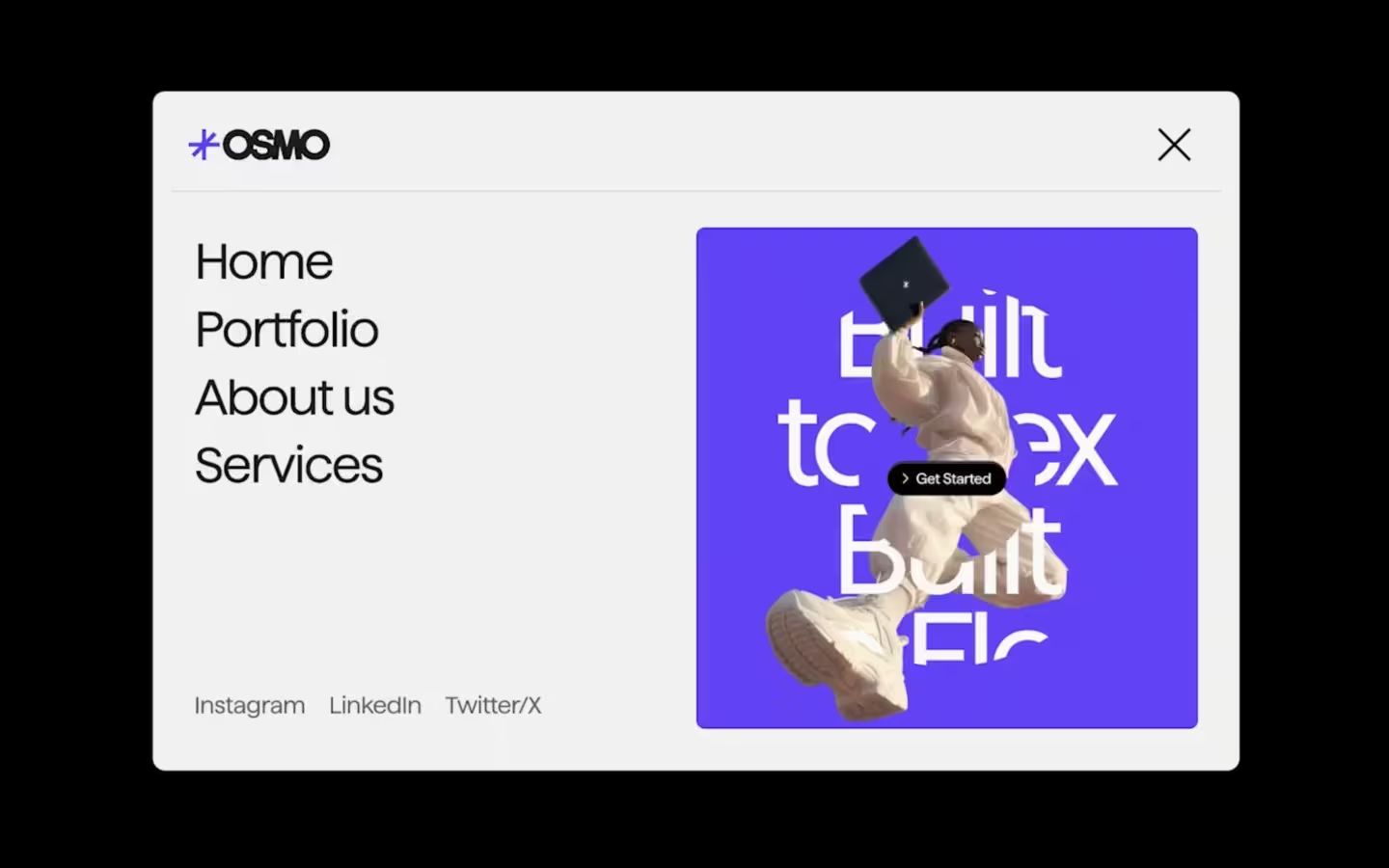
Wrap the whole component in a single navigation root using [data-twostep-nav], which acts as the scope for the two-step scaling behavior and also defines the animation variables that drive the timing and easing.
Status
State is controlled by [data-nav-status], which flips between active and not-active so the CSS can trigger the overlay, bar expansion, and the bottom section reveal.
Toggle
Any element with [data-nav-toggle="toggle"] will open or close the navigation by switching the status attribute, making it easy to add multiple open buttons without changing the script.
Close
Elements marked with [data-nav-toggle="close"] always force the navigation back to the non-active state, which is ideal for things like the dark overlay, a close icon, or any “back” interaction inside the menu.
Escape
When the navigation is open, pressing Escape will set the status back to non-active via the same logic, so keyboard users have a consistent way to dismiss the menu without needing to hunt for a close button.
Overlay
The dark background layer over the page while the nav is active, doubles as a click target by adding [data-nav-toggle="close"] to it.
Bar size
The small and large sizes of the nav bar are handled by animating max-width on .twostep-nav__bar, where the closed state is capped (for example max-width: 25em) and the open state expands to fill the container when [data-nav-status="active"] is present.
The overall width limit comes from .twostep-nav__width (for example max-width: 48em). So changing this unit, will change the size to which the bar expands when the nav is opened.
Bottom Reveal
The menu content reveal is driven by .twostep-nav__bottom and .twostep-nav__bottom-row, using grid-template-rows and translate and opacity transitions so the bottom area opens first and the inner items rise into place right after.
Animation Variables
Most motion is controlled via the variables set on [data-twostep-nav], which keeps the system cohesive and makes global tuning straightforward by changing durations and easing in one place.
[data-twostep-nav]{
  --cubic-default: cubic-bezier(0.625, 0.05, 0, 1);
  --animation-ease: 0.2s ease;

  --duration-default: 0.5s;
  --duration-default-long: 0.75s;
  --duration-default-half: 0.25s;

  --animation-default: var(--duration-default) var(--cubic-default);
  --animation-default-long: var(--duration-default-long) var(--cubic-default);
  --animation-default-half: var(--duration-default-half) var(--cubic-default);
}
Timing Tweaks
A few moments are intentionally hardcoded as small delays for choreography, like the inner bar grow starting at 0.2s, the bottom opening at 0.25s, and the second column reveal using 0.075s and 0.575s, which are knobs to play with when you want the sequence to feel snappier or more dramatic without changing the whole system.
Resource details
Last updated
January 21, 2026
Category
Navigation
Need help?
Join Slack
Original source
 Ilja van Eck
Creator Credits
We always strive to credit creators as accurately as possible. While similar concepts might appear online, we aim to provide proper and respectful attribution.