






























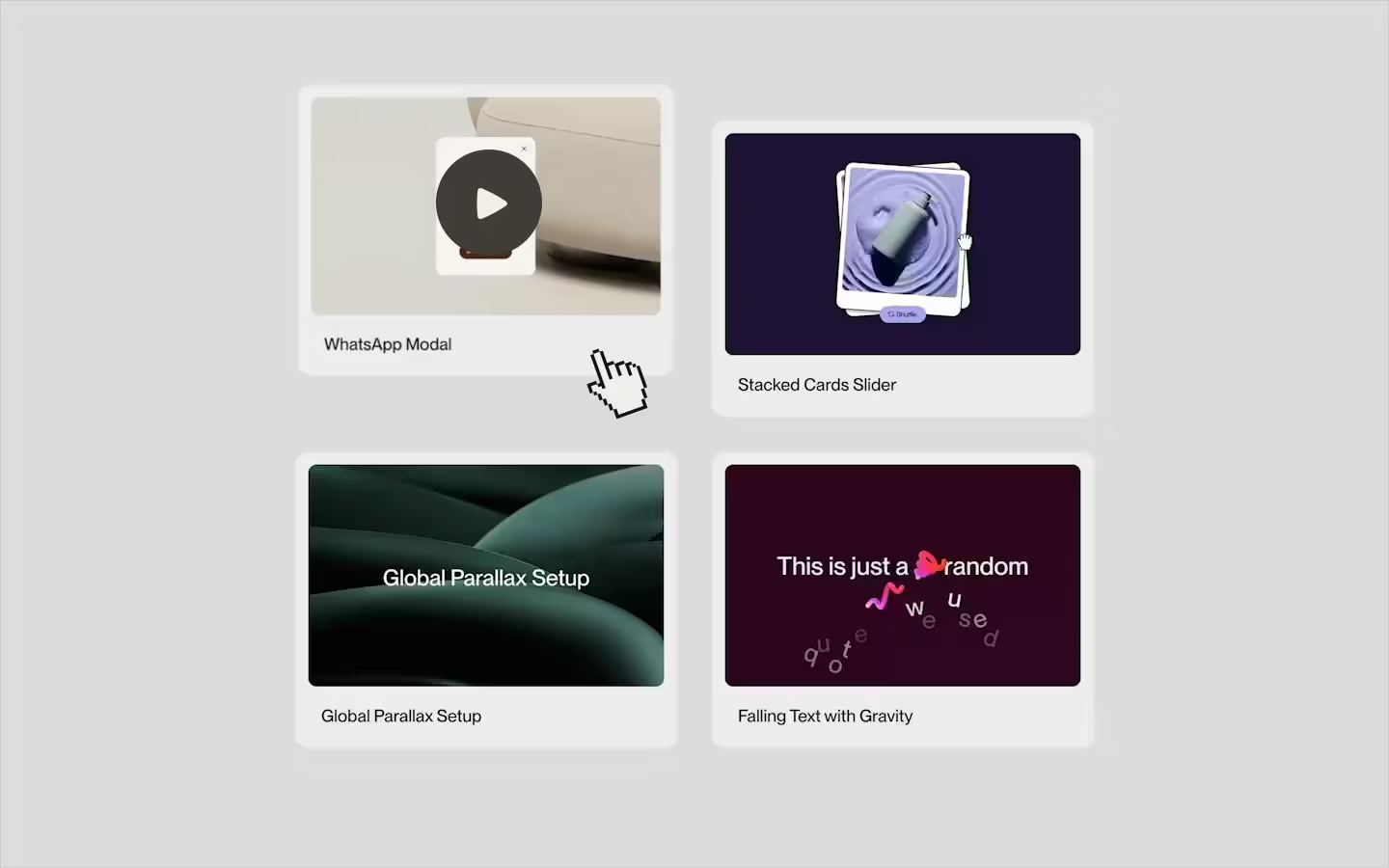














































Stacked Cards Slider
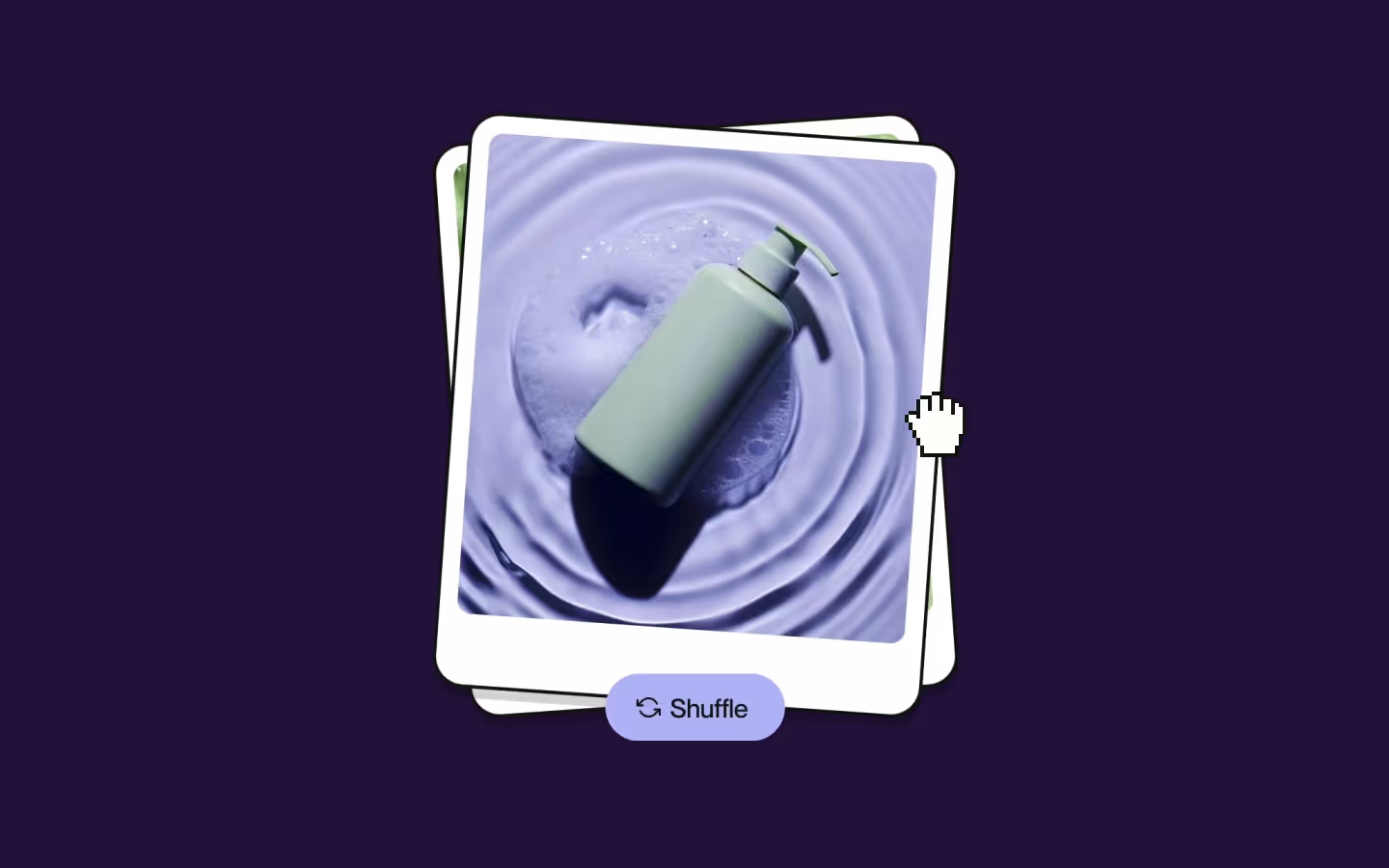
Documentation
Webflow
Code
Setup: External Scripts
External Scripts in Webflow
Make sure to always put the External Scripts before the JavasScript step of the resource. In this video you learn where to put these in your Webflow project:
HTML
<script src="https://cdn.jsdelivr.net/npm/gsap@3.13.0/dist/gsap.min.js"></script>
<script src="https://cdn.jsdelivr.net/npm/gsap@3.13.0/dist/Draggable.min.js"></script>
Step 1: Copy structure to Webflow
Copy structure to Webflow
In the video below we described how you can copy + paste the structure of this resource to your Webflow project:
Copy to Webflow
Webflow structure is not required for this resource.
Step 1: Add HTML
HTML
<div data-stacked-cards="" class="stack-cards">
  <div class="stacked-cards__stack">
    <div class="stack-cards__before"></div>
    <div class="stacked-cards__collection">
      <div data-stacked-cards-list="" class="stack-cards__list">
        <div data-stacked-cards-item="" class="stack-cards__item">
          <div data-stacked-cards-card="" class="stack-cards__card"><img width="540" loading="lazy" alt="" src="https://cdn.prod.website-files.com/68400ee0c3a4136811a2c90c/6840154ab4df57dbdfedd7df_Pastel%20Green%20Bottle.avif class="stack-cards__card-image"></div>
        </div>
        <div data-stacked-cards-item="" class="stack-cards__item">
          <div data-stacked-cards-card="" class="stack-cards__card"><img width="540" loading="lazy" alt="" src="https://cdn.prod.website-files.com/68400ee0c3a4136811a2c90c/6840154a04f42a8d992bede9_Soap%20Bar%20in%20Green%20Foam.avif" class="stack-cards__card-image"></div>
        </div>
        <div data-stacked-cards-item="" class="stack-cards__item">
          <div data-stacked-cards-card="" class="stack-cards__card"><img width="540" loading="lazy" alt="" src="https://cdn.prod.website-files.com/68400ee0c3a4136811a2c90c/6840154ac758e72eef2c32d0_Minimalist%20Bottle%20Design.avif" class="stack-cards__card-image"></div>
        </div>
        <div data-stacked-cards-item="" class="stack-cards__item">
          <div data-stacked-cards-card="" class="stack-cards__card"><img width="540" loading="lazy" alt="" src="https://cdn.prod.website-files.com/68400ee0c3a4136811a2c90c/6840154ab342b4ad9b8f9c5e_Luxurious%20Cream%20Jar.avif" class="stack-cards__card-image"></div>
        </div>
        <div data-stacked-cards-item="" class="stack-cards__item">
          <div data-stacked-cards-card="" class="stack-cards__card"><img width="540" loading="lazy" alt="" src="https://cdn.prod.website-files.com/68400ee0c3a4136811a2c90c/6840154af7aed218580948a8_Pastel%20Cosmetic%20Display.avif" class="stack-cards__card-image"></div>
        </div>
        <div data-stacked-cards-item="" class="stack-cards__item">
          <div data-stacked-cards-card="" class="stack-cards__card"><img width="540" loading="lazy" alt="" src="https://cdn.prod.website-files.com/68400ee0c3a4136811a2c90c/6840154ae4b3d097e13b2343_Gray%20Spray%20Bottle%20Display.avif" class="stack-cards__card-image"></div>
        </div>
      </div>
    </div>
  </div>
  <div class="stacked-cards__controls">
    <button data-stacked-cards-control="next" class="shuffle-btn">
      <svg xmlns="http://www.w3.org/2000/svg" width="100%" viewbox="0 0 24 24" fill="none" class="shuffle-btn__icon-svg"><path d="M1 4V10H7" stroke="currentColor" stroke-width="2"></path><path d="M23 20V14H17" stroke="currentColor" stroke-width="2"></path><path d="M20.5 8.99998C19.6855 6.75968 18.0244 4.92842 15.8739 3.89992C13.7235 2.87143 11.2553 2.72782 9 3.49998C7.7459 3.98238 6.59283 4.69457 5.6 5.59998L1 9.99998M23 14L18.4 18.4C16.6963 20.0855 14.3965 21.0308 12 21.0308C9.60347 21.0308 7.30368 20.0855 5.6 18.4C4.69459 17.4072 3.9824 16.2541 3.5 15" stroke="currentColor" stroke-width="2"></path></svg>
      <span class="shuffle-btn__span">Shuffle</span>
    </button>
  </div>
</div>
HTML structure is not required for this resource.
Step 2: Add CSS
CSS
.stack-cards {
  width: 25em;
  position: relative;
}

.stacked-cards__stack {
  z-index: 0;
  width: 100%;
  position: relative;
}

.stack-cards__before {
  padding-top: 117.5%;
}

.stacked-cards__collection {
  width: 100%;
  height: 100%;
  position: absolute;
  top: 0;
  left: 0;
}

.stack-cards__list {
  width: 100%;
  height: 100%;
  position: absolute;
  top: 0;
  left: 0;
}

.stack-cards__item {
  width: 100%;
  height: 100%;
  position: absolute;
  top: 0;
  left: 0;
}

.stack-cards__card {
  transition: box-shadow 0.25s cubic-bezier(0.625, 0.05, 0, 1);
  background-color: #fff;
  border: 0.1875em solid #121212;
  border-radius: 1.6em;
  width: 100%;
  height: 100%;
  position: absolute;
  top: 0;
  left: 0;
  overflow: hidden;
  box-shadow: 0em 0.5em 0em 0em rgba(0, 0, 0, 0);
}

.stack-cards__item.is--active .stack-cards__card,
.stack-cards__item.is--second .stack-cards__card {
  box-shadow: 0em 0.5em 0em 0em rgba(0, 0, 0, 0.15);
}

.stack-cards__card-image {
  pointer-events: none;
  object-fit: cover;
  -webkit-user-select: none;
  user-select: none;
  border-radius: 0.7em;
  width: calc(100% - 1.8em);
  height: calc(100% - 4.5em);
  position: absolute;
  top: 0.9em;
  left: 0.9em;
}

.stacked-cards__controls {
  z-index: 1;
  grid-column-gap: 0.75em;
  grid-row-gap: 0.75em;
  flex-flow: column;
  justify-content: center;
  align-items: center;
  margin-top: -1.5em;
  display: flex;
  position: relative;
}

.shuffle-btn {
  grid-column-gap: 0.375em;
  grid-row-gap: 0.375em;
  color: #121212;
  background-color: #b9baf7;
  border-radius: 10em;
  flex: 0 auto;
  grid-template-rows: auto auto;
  grid-template-columns: 1fr 1fr;
  grid-auto-columns: 1fr;
  justify-content: center;
  align-items: center;
  height: 2.75em;
  padding-left: 1.25em;
  padding-right: 1.5em;
  font-size: 1.25em;
  font-weight: 400;
  line-height: 1;
  text-decoration: none;
  display: flex;
  position: relative;
}

.shuffle-btn__span {
  white-space: nowrap;
  margin-top: 0.0625em;
  font-size: 1.0625em;
  font-weight: 500;
}

.shuffle-btn__icon-svg {
  width: 1em;
}
Step 2: Add custom Javascript
Custom Javascript in Webflow
In this video, Ilja gives you some guidance about using JavaScript in Webflow:
Step 2: Add Javascript
Step 3: Add Javascript
Javascript
gsap.registerPlugin(Draggable);

function initStackedCardsSlider() {
  document.querySelectorAll('[data-stacked-cards]').forEach(function(container) {

    // animation presets
    let easeBeforeRelease = { duration: 0.2, ease: 'Power2.easeOut' };
    let easeAfterRelease  = { duration: 1, ease: 'elastic.out(1,0.75)' };

    let activeDeg   = 4;
    let inactiveDeg = -4;

    const list = container.querySelector('[data-stacked-cards-list]');
    if(!list) return;

    // check minimum cards
    const initialItems = Array.from(list.querySelectorAll(':scope > [data-stacked-cards-item]'));
    if (initialItems.length < 3) {
      console.error('[StackedCards] Minimum of 3 cards required. Found:', initialItems.length, list);
      return;
    }

    // Draggable instances & cached elements
    let dragFirst, dragSecond;
    let firstItem, secondItem, firstEl, secondEl;
    let full, t;

    function restack() {
      const items = Array.from(list.querySelectorAll('[data-stacked-cards-item]'));
      items.forEach(function(item) {
        item.classList.remove('is--active', 'is--second');
      });
      items[0].style.zIndex = 3;
      items[0].style.transform = `rotate(${activeDeg}deg)`;
      items[0].style.pointerEvents = 'auto';
      items[0].classList.add('is--active');

      items[1].style.zIndex = 2;
      items[1].style.transform = `rotate(${inactiveDeg}deg)`;
      items[1].style.pointerEvents = 'none';
      items[1].classList.add('is--second');

      items[2].style.zIndex = 1;
      items[2].style.transform = `rotate(${activeDeg}deg)`;

      items.slice(3).forEach(function(item) {
        item.style.zIndex = 0;
        item.style.transform = `rotate(${inactiveDeg}deg)`;
      });
    }

    function setupDraggables() {
      restack();

      // cache top two cards
      const items = Array.from(list.querySelectorAll(':scope > [data-stacked-cards-item]'));
      firstItem   = items[0];
      secondItem  = items[1];
      firstEl     = firstItem.querySelector('[data-stacked-cards-card]');
      secondEl    = secondItem.querySelector('[data-stacked-cards-card]');

      // compute thresholds
      const width = firstEl.getBoundingClientRect().width;
      full = width * 1.15;
      t    = width * 0.1;

      // kill old Draggables
      dragFirst?.kill();
      dragSecond?.kill();

      // --- First card draggable ---
      dragFirst = Draggable.create(firstEl, {
        type: 'x',
        onPress() {
          firstEl.classList.add('is--dragging');
        },
        onRelease() {
          firstEl.classList.remove('is--dragging');
        },
        onDrag() {
          let raw = this.x;
          if (Math.abs(raw) > full) {
            const over = Math.abs(raw) - full;
            raw = (raw > 0 ? 1 : -1) * (full + over * 0.1);
          }
          gsap.set(firstEl, { x: raw, rotation: 0 });
        },
        onDragEnd() {
          const x   = this.x;
          const dir = x > 0 ? 'right' : 'left';

          // hand control to second card
          this.disable?.();
          dragSecond?.enable?.();
          firstItem.style.pointerEvents = 'none';
          secondItem.style.pointerEvents = 'auto';

          if (Math.abs(x) <= t) {
            // small drag: just snap back
            gsap.to(firstEl, {
              x: 0, rotation: 0,
              ...easeBeforeRelease,
              onComplete: resetCycle
            });
          }
          else if (Math.abs(x) <= full) {
            flick(dir, false, x);
          }
          else {
            flick(dir, true);
          }
        }
      })[0];

      // --- Second card draggable ---
      dragSecond = Draggable.create(secondEl, {
        type: 'x',
        onPress() {
          secondEl.classList.add('is--dragging');
        },
        onRelease() {
          secondEl.classList.remove('is--dragging');
        },
        onDrag() {
          let raw = this.x;
          if (Math.abs(raw) > full) {
            const over = Math.abs(raw) - full;
            raw = (raw > 0 ? 1 : -1) * (full + over * 0.2);
          }
          gsap.set(secondEl, { x: raw, rotation: 0 });
        },
        onDragEnd() {
          gsap.to(secondEl, {
            x: 0, rotation: 0,
            ...easeBeforeRelease
          });
        }
      })[0];

      // start with first card active
      dragFirst?.enable?.();
      dragSecond?.disable?.();
      firstItem.style.pointerEvents = 'auto';
      secondItem.style.pointerEvents = 'none';
    }

    function flick(dir, skipHome = false, releaseX = 0) {
      if (!(dir === 'left' || dir === 'right')) {
        dir = activeDeg > 0 ? 'right' : 'left';
      }
      dragFirst?.disable?.();

      const item = list.querySelector('[data-stacked-cards-item]');
      const card = item.querySelector('[data-stacked-cards-card]');
      const exitX = dir === 'right' ? full : -full;

      if (skipHome) {
        const visualX = gsap.getProperty(card, 'x');
        list.appendChild(item);
        [activeDeg, inactiveDeg] = [inactiveDeg, activeDeg];
        restack();
        gsap.fromTo(
          card,
          { x: visualX, rotation: 0 },
          { x: 0, rotation: 0, ...easeAfterRelease, onComplete: resetCycle }
        );

      } else {
        gsap.fromTo(
          card,
          { x: releaseX, rotation: 0 },
          {
            x: exitX,
            ...easeBeforeRelease,
            onComplete() {
              gsap.set(card, { x: 0, rotation: 0 });
              list.appendChild(item);
              [activeDeg, inactiveDeg] = [inactiveDeg, activeDeg];
              resetCycle();
              const newCard = item.querySelector('[data-stacked-cards-card]');
              gsap.fromTo(
                newCard,
                { x: exitX },
                { x: 0, ...easeAfterRelease, onComplete: resetCycle }
              );
            }
          }
        );
      }
    }

    function resetCycle() {
      list.querySelectorAll('[data-stacked-cards-card].is--dragging').forEach(function(el) {
        el.classList.remove('is--dragging');
      });
      setupDraggables();
    }

    setupDraggables();

    // “Next” button support
    container.querySelectorAll('[data-stacked-cards-control="next"]').forEach(function(btn) {
      btn.onclick = function() { flick(); };
    });
  });
}

// Initialize Stacked Cards Slider
document.addEventListener("DOMContentLoaded", () => {
  initStackedCardsSlider();
});
Step 3: Add custom CSS
Step 2: Add custom CSS
Custom CSS in Webflow
Curious about where to put custom CSS in Webflow? Ilja explains it in the below video:
CSS
.stack-cards__card {
  transition: box-shadow 0.25s cubic-bezier(0.625, 0.05, 0, 1);
  box-shadow: 0em 0.5em 0em 0em rgba(0, 0, 0, 0);
}

.stack-cards__item.is--active .stack-cards__card,
.stack-cards__item.is--second .stack-cards__card {
  box-shadow: 0em 0.5em 0em 0em rgba(0, 0, 0, 0.15);
}

/* Rotate the first two cards in the Webflow editor */
:is(.wf-design-mode, .w-editor) [data-stacked-cards-item]:nth-child(1) {
  transform: rotate(4deg);
  z-index: 3;
}

:is(.wf-design-mode, .w-editor) [data-stacked-cards-item]:nth-child(2) {
  transform: rotate(-4deg);
  z-index: 2;
}
Implementation
Container
Place the [data-stacked-cards] attribute on the outermost wrapper (the “slider container”). The script will look for every element with this attribute and initialize a separate slider instance for each.
List
Add the [data-stacked-cards-list] attribute to the element that contains all card items. The script treats its direct children as a stack, cycling them in and out.
Item
Each direct child of [data-stacked-cards-list] must have the [data-stacked-cards-item] attribute. This represents a single “slot” in the stack. The script will assign CSS classes (.is--active, .is--second) and set each item’s rotation/position based on its index.
Note: A minimum of 3 cards is required per stack.
Card
Inside every card there must be an element with the [data-stacked-cards-card] attribute. This is the actual draggable card—its styling determines its appearance. The javascript attaches GSAP Draggable behavior directly to the first elements in the list.
Next (Shuffle) Button
Add the[data-stacked-cards-control="next"] attribute to a <button>. Clicking it will “flick” the top card out (as if you swiped it) and cycle the stack forward. You can include multiple “Next” buttons (e.g. for mobile + desktop); the script will bind them all.
Customization options
Rotation
Change the values below (in degrees) to adjust how much each card rotates.
let activeDeg   = 4;
let inactiveDeg = -4;
Easing
We tweaked these easing settings to match the playful style of the cards, but feel free to replace them with whatever easing curves or durations fit your design.
let easeBeforeRelease = { duration: 0.2, ease: 'Power2.easeOut' };
let easeAfterRelease = { duration: 1, ease: 'elastic.out(1,0.75)' };Resource details
Last updated
December 16, 2025
Category
Sliders & Marquees
Need help?
Join Slack
Original source
 Dennis Snellenberg
Creator Credits
We always strive to credit creators as accurately as possible. While similar concepts might appear online, we aim to provide proper and respectful attribution.